How to Pay Your DBS Credit Card Bill
Pay your DBS credit card bill in a couple of minutes — the full outstanding balance, the minimum, or a custom amount — via the digibank app or digibank Online.
 Singapore
Agent guide. Use these steps to walk the client through the process — the screenshots show exactly what they’ll see on screen.
Paying your DBS credit card bill takes a couple of minutes in the digibank app or on digibank Online. You can pay the full outstanding balance, the minimum payment, or any other amount you choose.
Before you start
- The DBS digibank app, or access to digibank Online
- Your digibank User ID and PIN (or Touch/Face ID on the app)
- A DBS/POSB account to pay from
💡 Tip: Paying from a DBS/POSB account is instant. From another bank, FAST is almost immediate; AXS and ATM are credited the next working day, and Interbank GIRO by the third working day — set up GIRO to auto-pay each month.
Frequently asked questions
How much should I pay?
You can pay the full outstanding balance, the minimum payment, or any other amount. Paying in full each month avoids interest charges.
Can I automate it?
Yes — set up Interbank GIRO so your bill is paid automatically each month instead of making one-off payments.
- 1
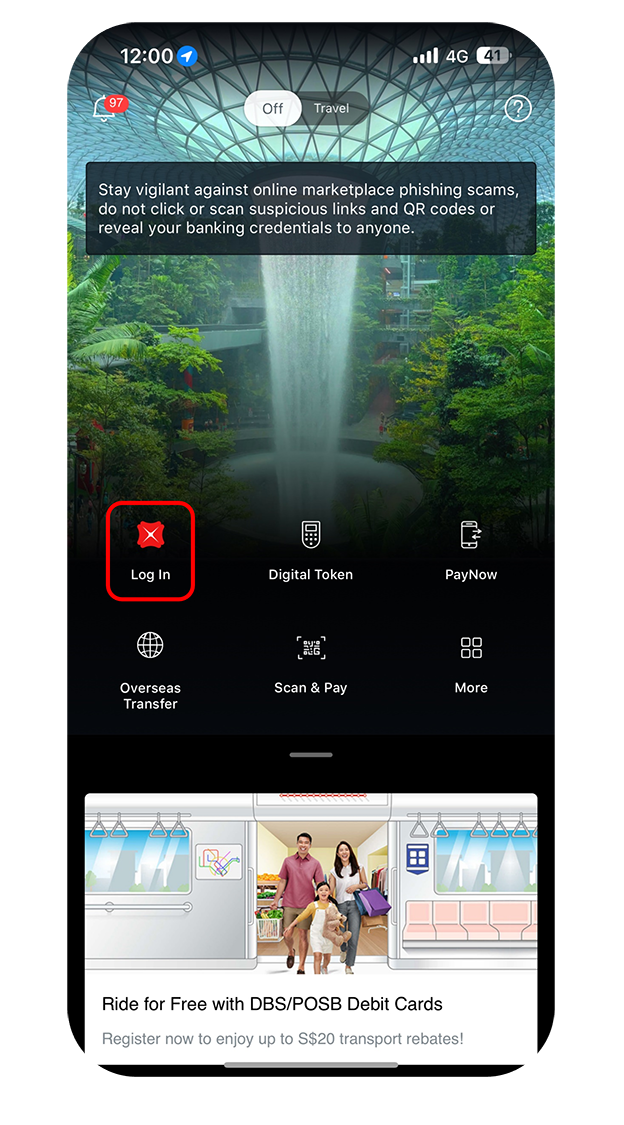
Log in to the app
Log in to digibank mobile with Touch/Face ID or your digibank User ID and PIN.
- 2
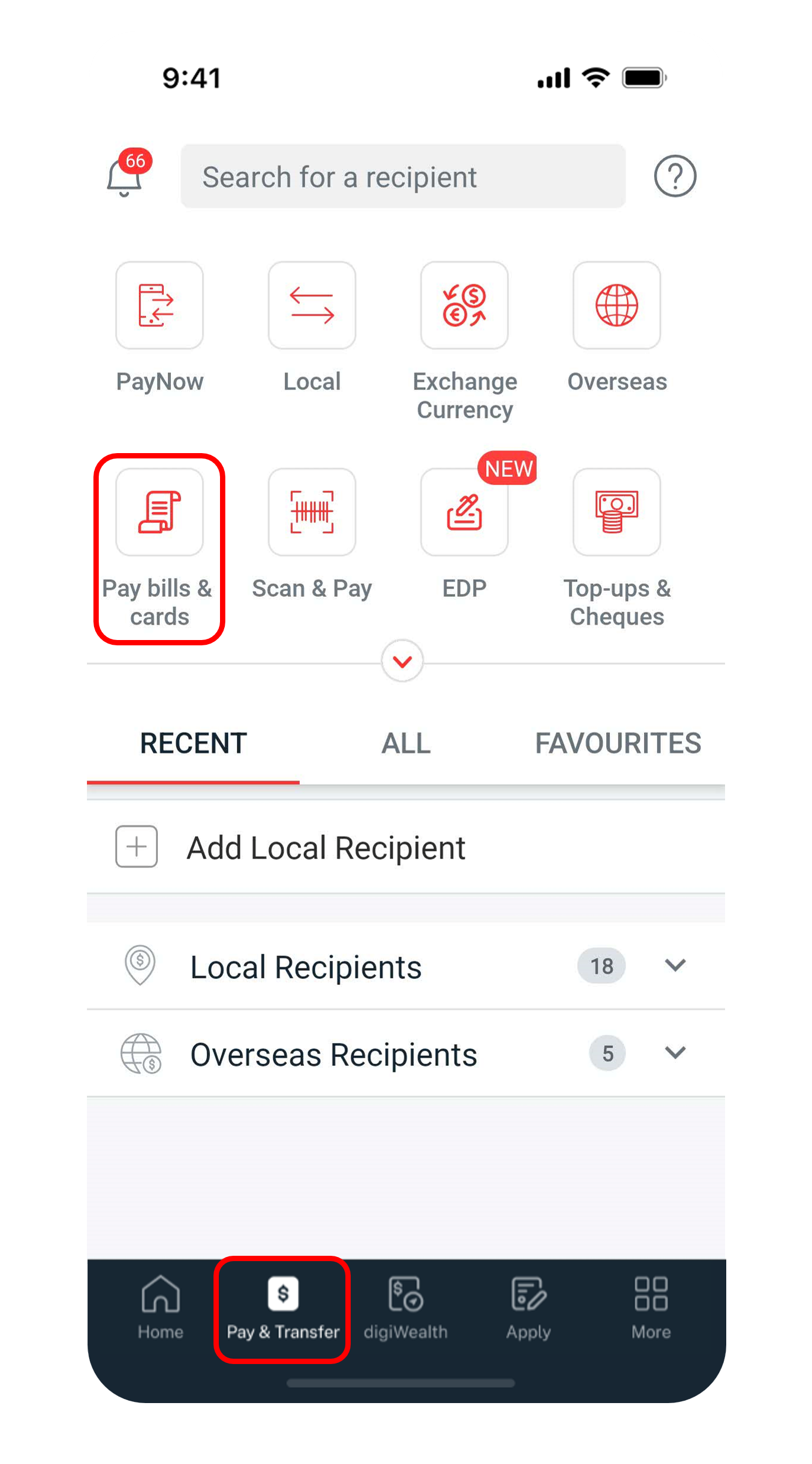
Open Pay bills & cards
Tap "Pay & Transfer" at the bottom, then select "Pay bills & cards".
- 3
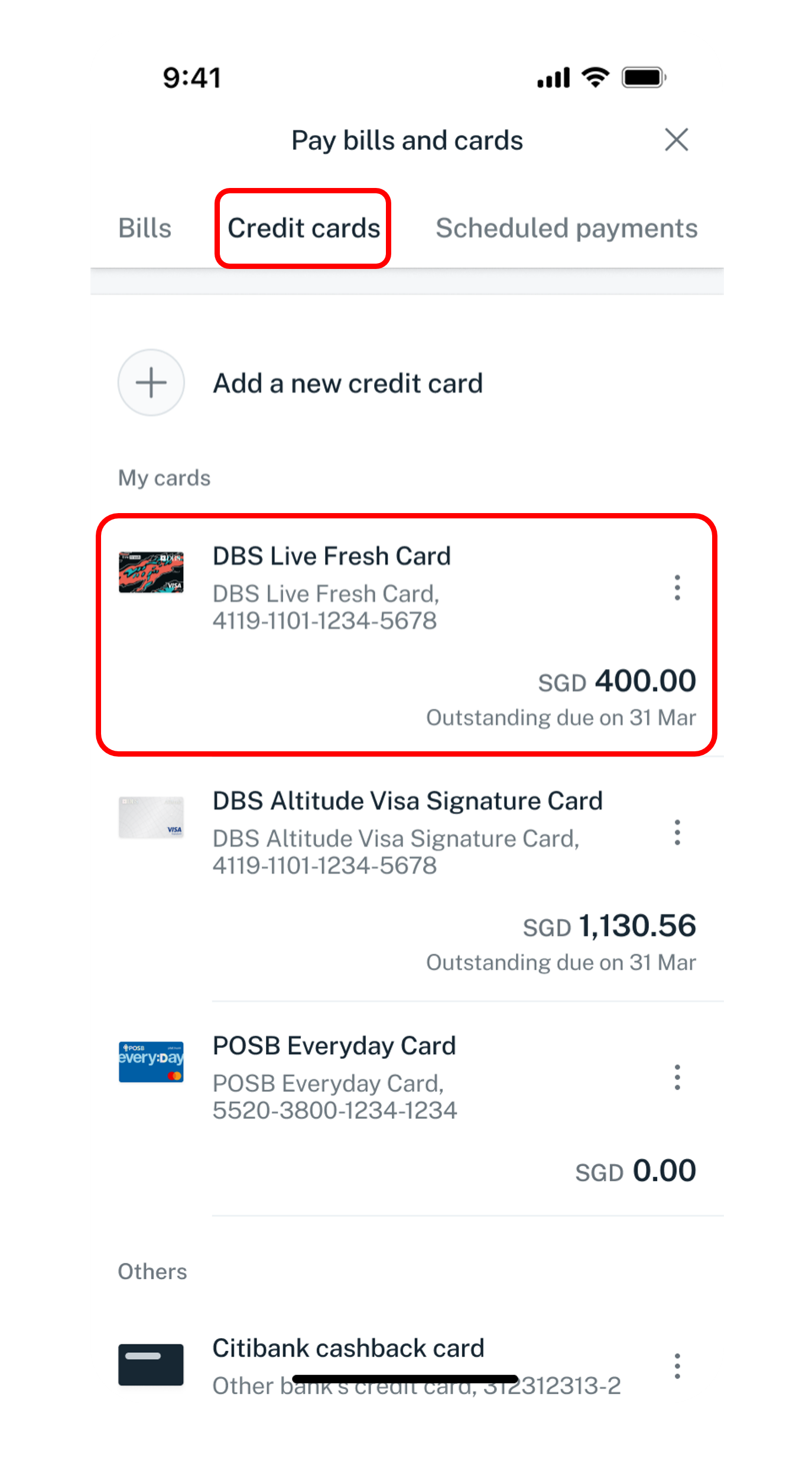
Select your credit card
Under Credit cards, choose the credit card you want to pay.
- 4
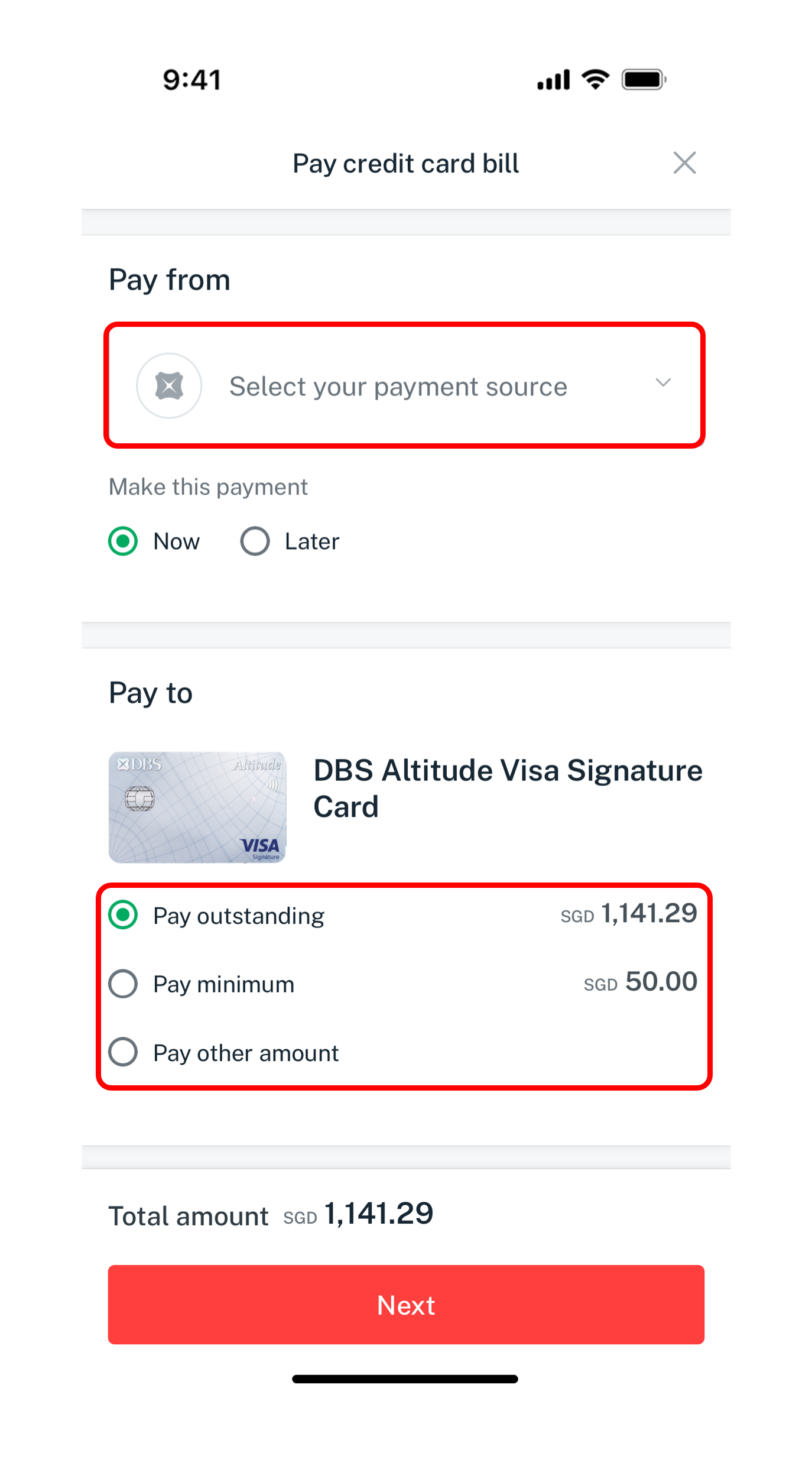
Choose the amount
Pick the account to pay from, then choose Pay outstanding, Pay minimum or Pay other amount, and tap Next.
- 5
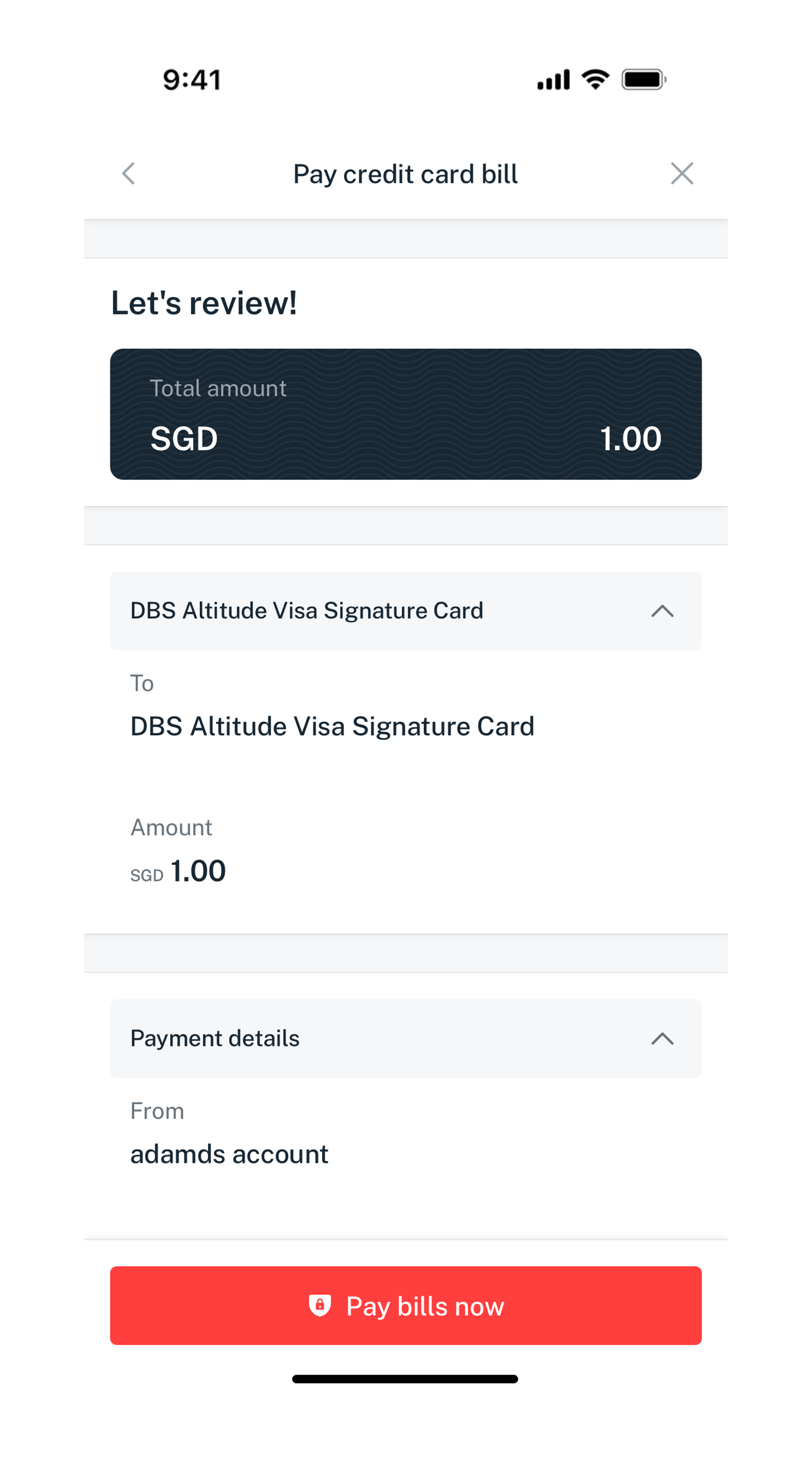
Verify and pay
Check the details and tap "Pay bills now".
- 6
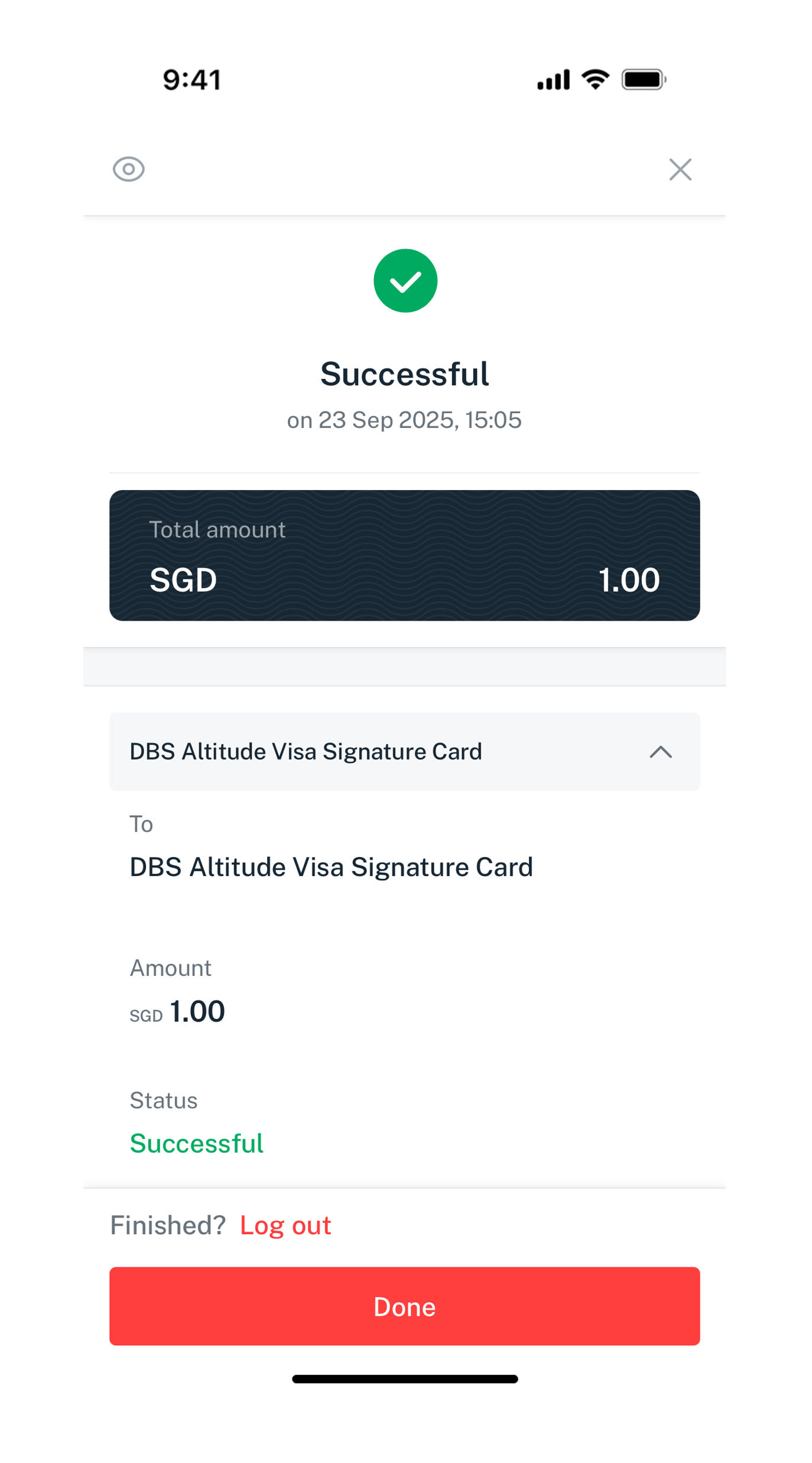
Done
Your payment has been made.
- 1
Log in to digibank Online
Go to dbs.com.sg and log in with your User ID and PIN.

- 2
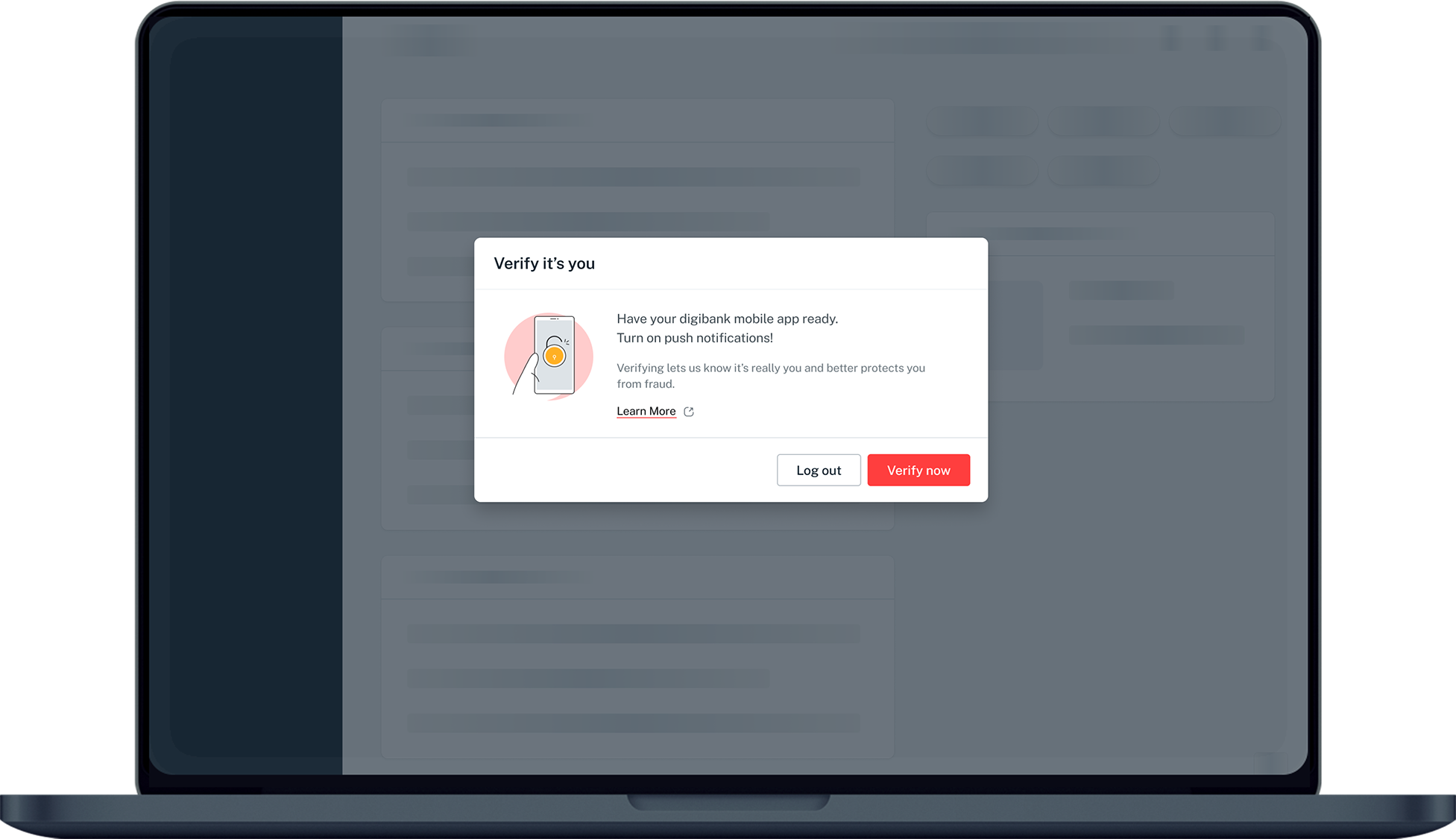
Complete 2FA
Complete the authentication process.
- 3
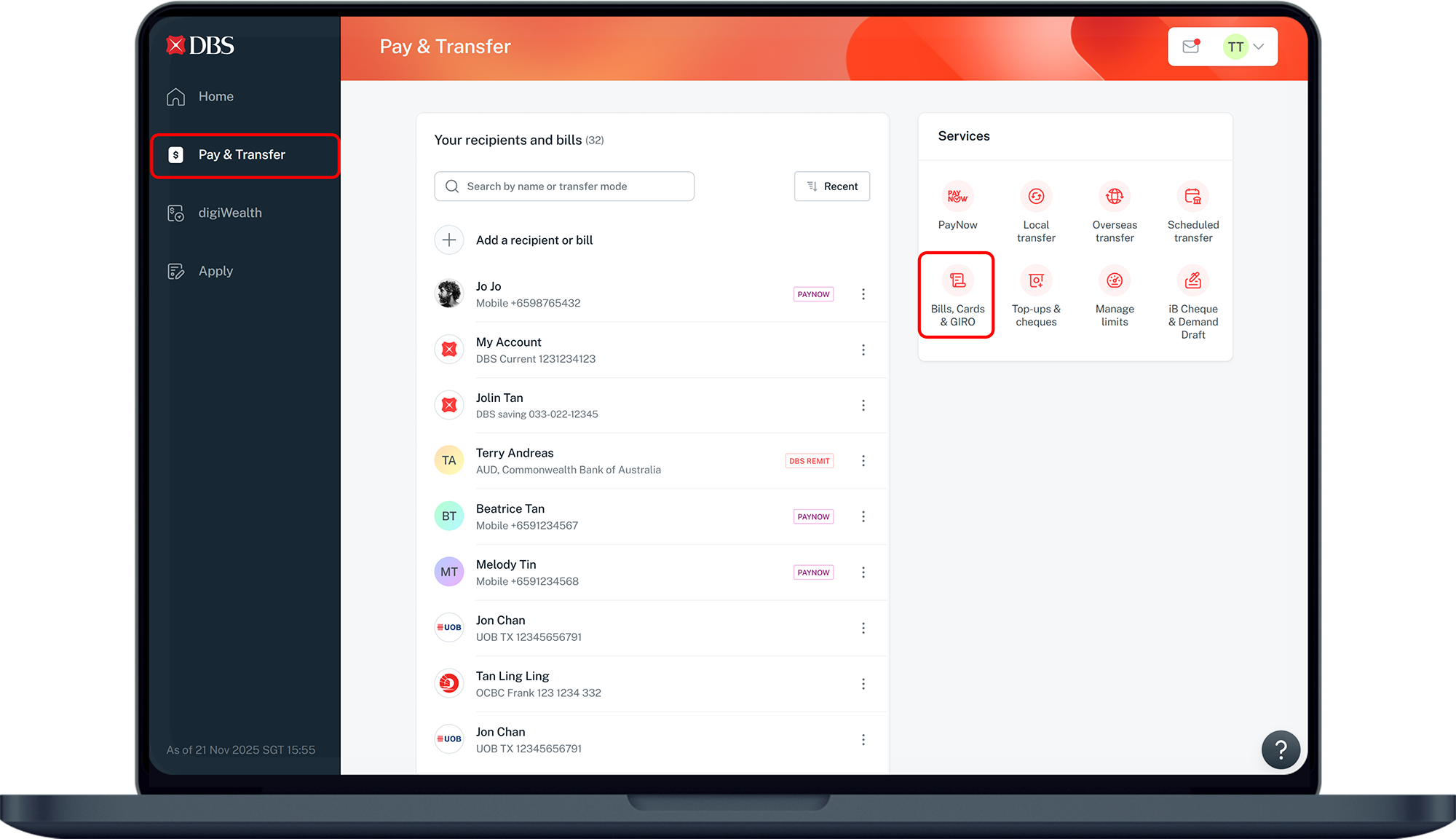
Open Bills, Cards & GIRO
Click "Pay & Transfer" on the left menu, then under Services click "Bills, Cards & GIRO".
- 4
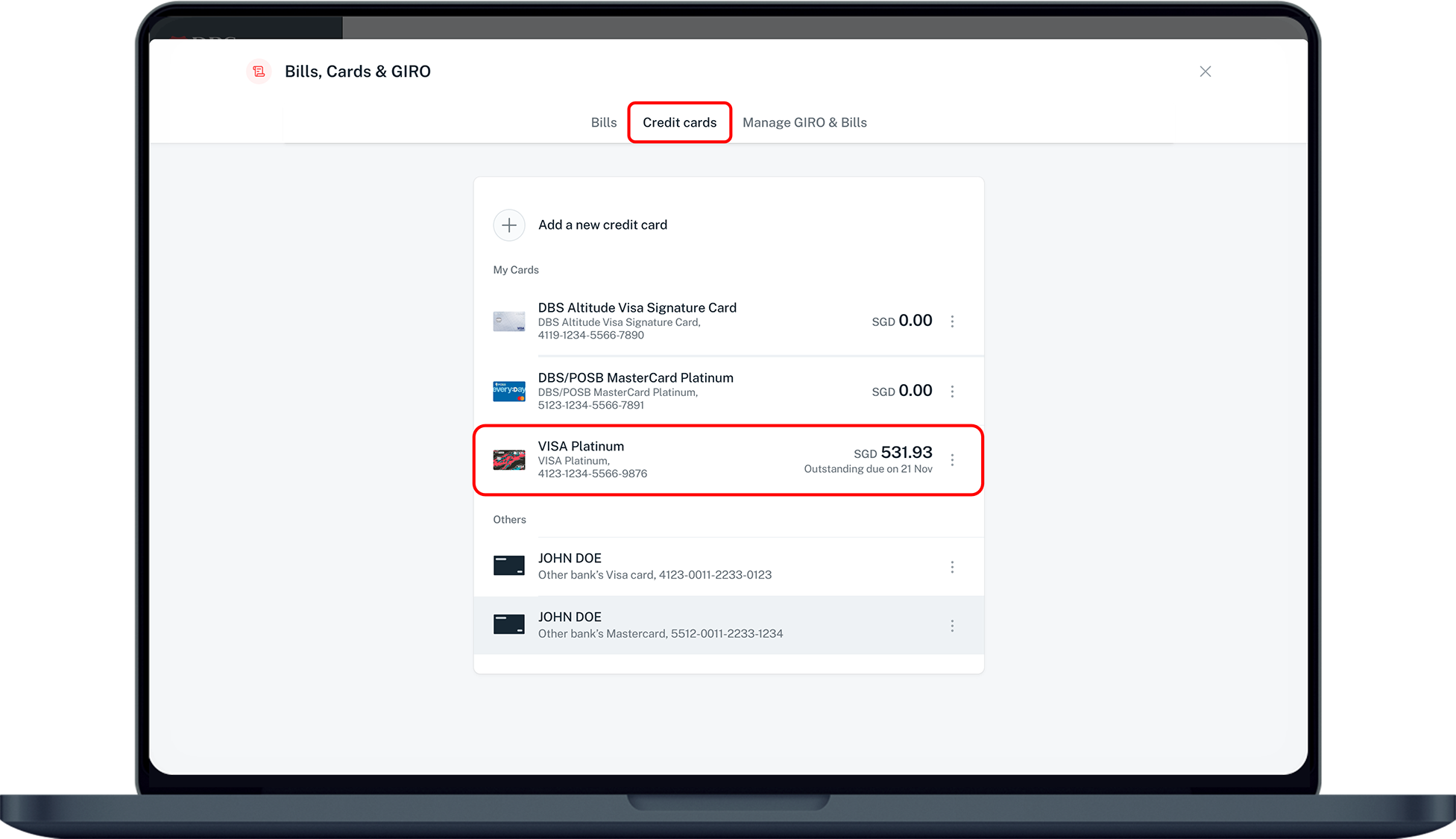
Select your credit card
Under Credit cards, select the credit card you want to pay.
- 5
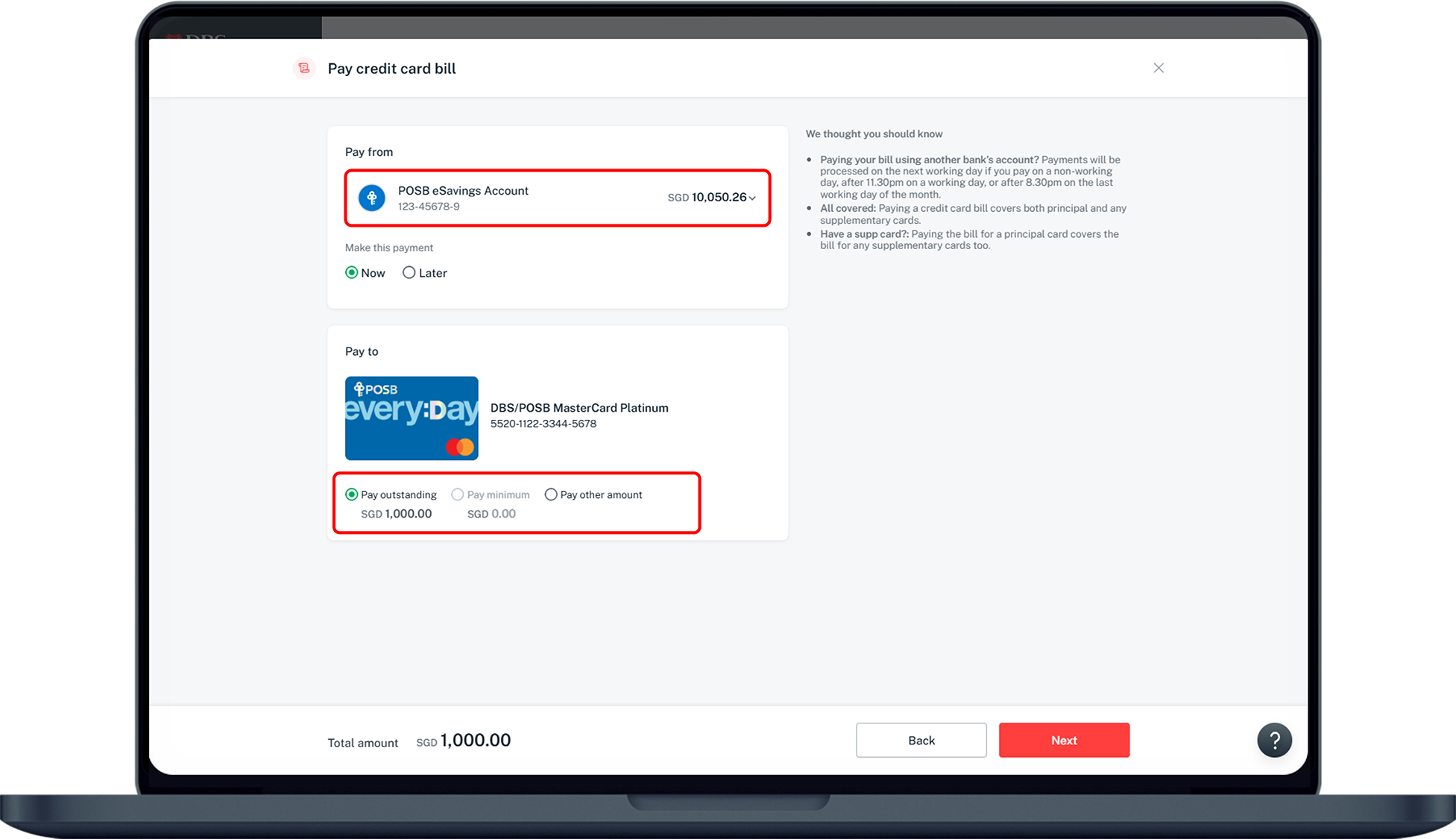
Choose the amount
Select the account and payment type (outstanding, minimum or other), then click Next.
- 6
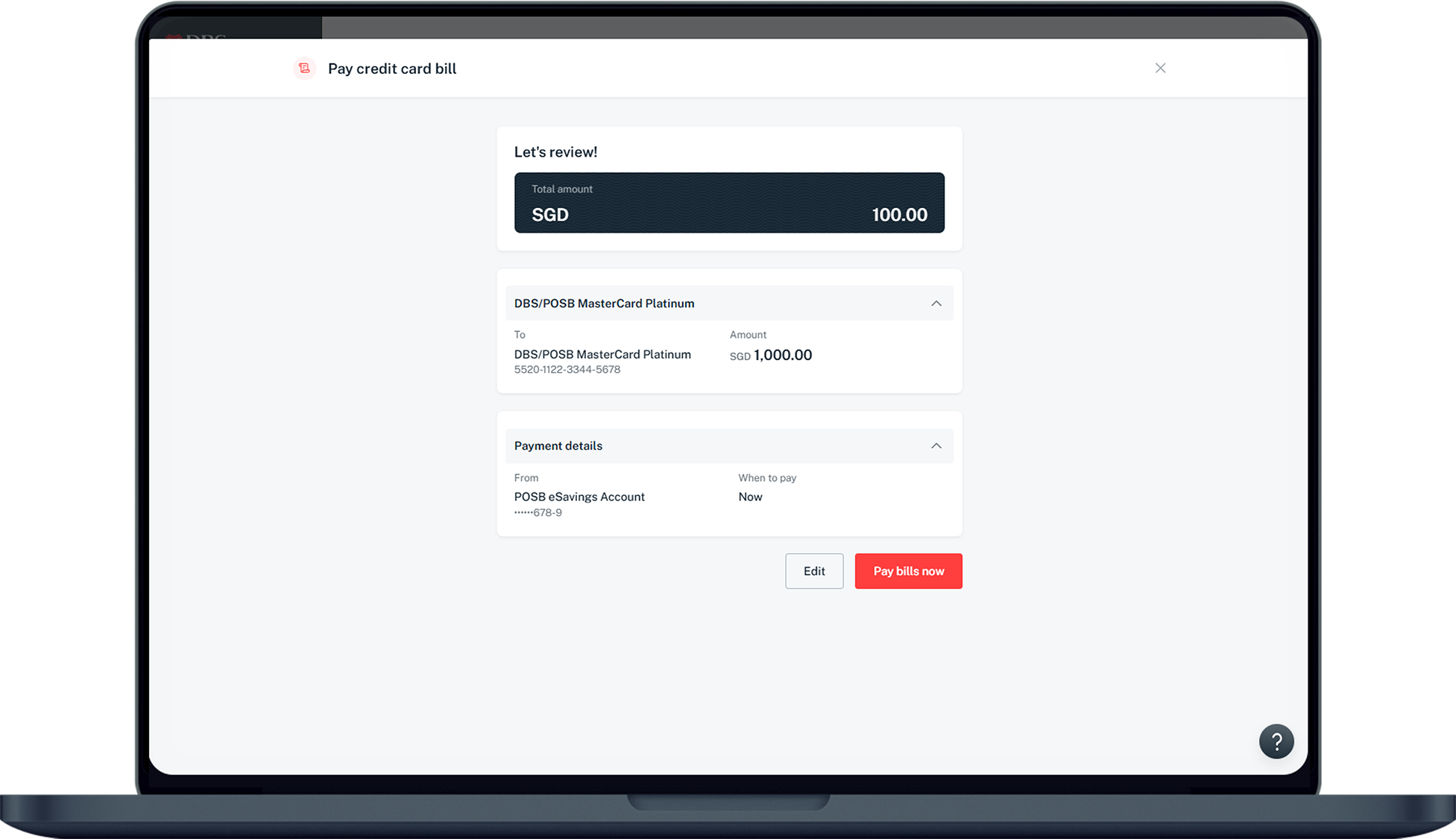
Verify details
Check your payment details and click "Pay bills now".
- 7
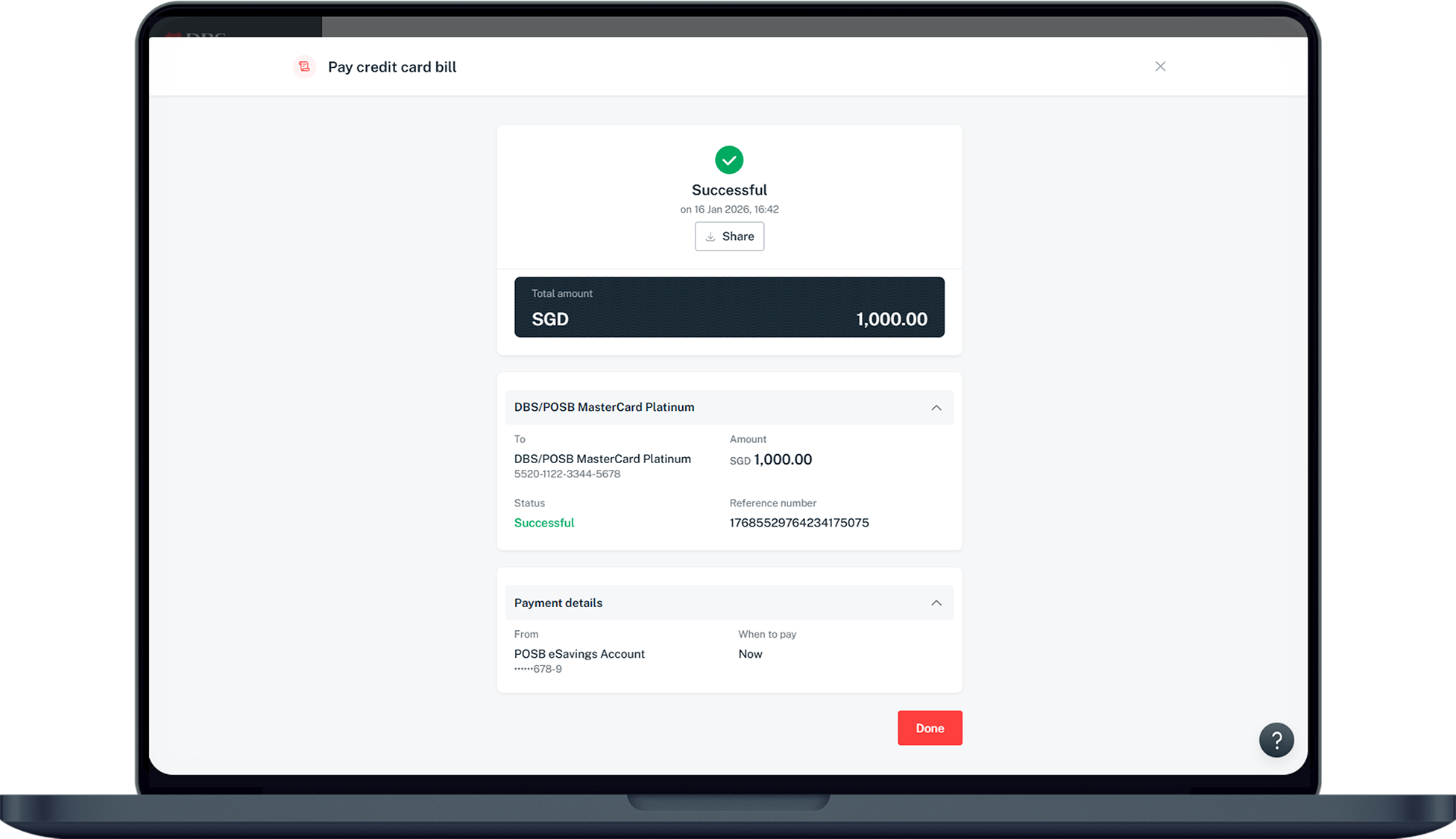
Done
Your payment has been made.
Reference for assisting clients. Bank screens, steps and limits change often — always confirm the current process with DBS Bank before advising the client.