How to Make a Local Transfer to Another Bank (DBS)
Send SGD to another local bank account in Singapore — a DBS/POSB account or another bank, via FAST or PayNow. This is a local (domestic) transfer, not an overseas one.
 Singapore
Agent guide. Use these steps to walk the client through the process — the screenshots show exactly what they’ll see on screen.
This is a LOCAL transfer — sending SGD to another bank account within Singapore (a DBS/POSB account or another local bank), using FAST or PayNow. It is not an international or overseas transfer. Transfers to FAST-participating banks arrive almost instantly. The steps below walk the client through it in the digibank app or on digibank Online.
Before you start
- The DBS digibank app, or access to digibank Online
- The client's digibank User ID and PIN (or Touch/Face ID on the app)
- The recipient's local bank and account number, or their PayNow mobile number / NRIC
💡 Tip: Local transfers to FAST-participating banks are almost instant and free. PayNow lets the client send to a mobile number or NRIC/FIN instead of an account number. The recipient name entered is only a reference — the transfer is processed on the account number, so double-check it.
Frequently asked questions
Is this an overseas transfer?
No — this is a LOCAL transfer within Singapore. To send money abroad, use the international / telegraphic transfer flow instead.
What's the daily limit?
Local transfers can be up to S$200,000 a day. Confirm the client's own transfer limit in their settings.
- 1
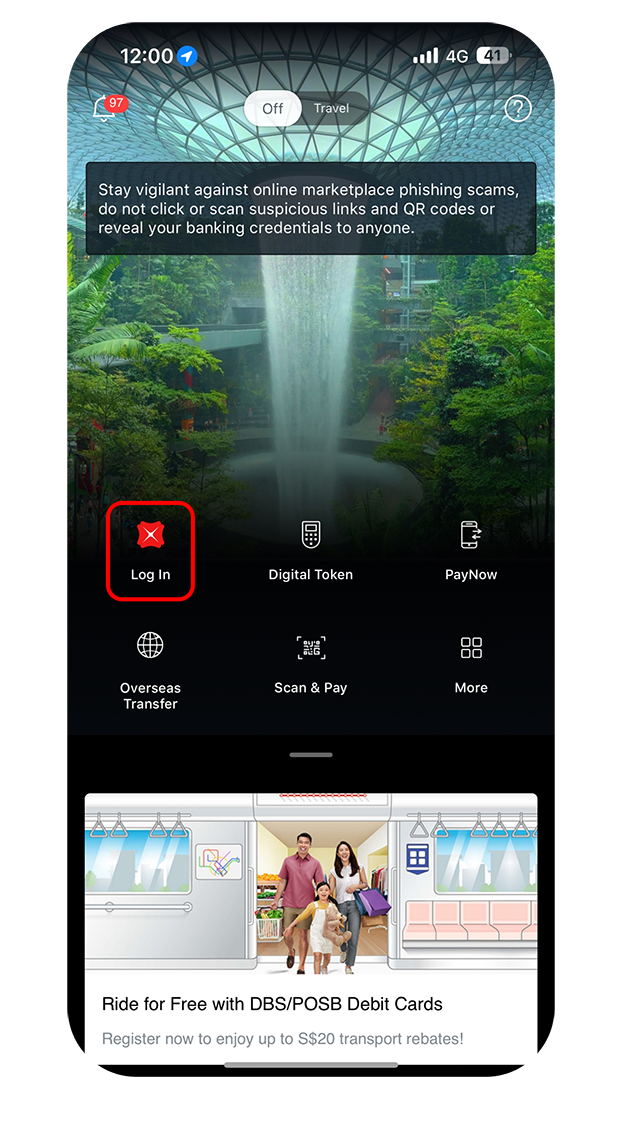
Log in to the app
Log in to digibank mobile with Touch/Face ID or the digibank User ID and PIN.
- 2
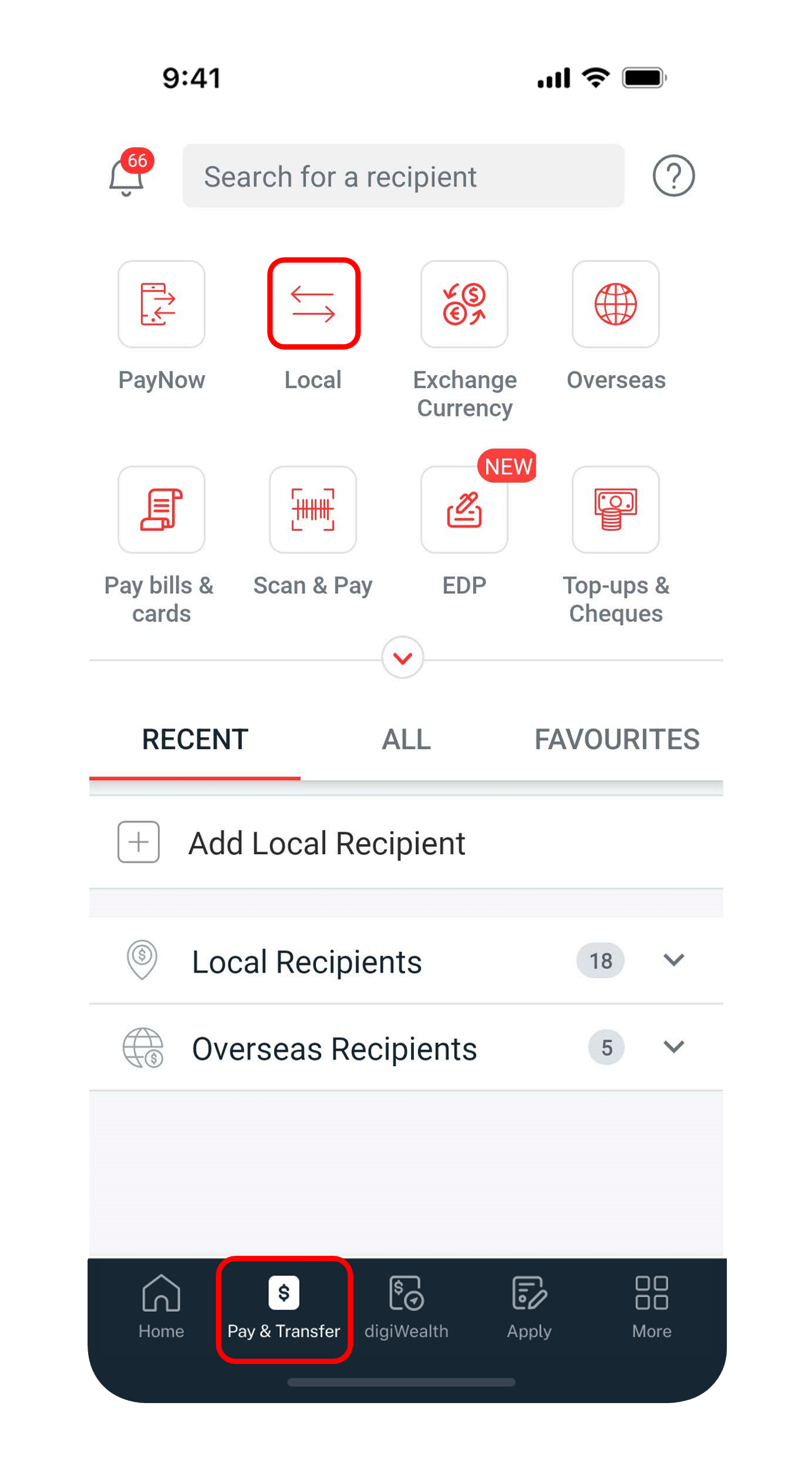
Open a Local transfer
Tap "Pay & Transfer" at the bottom, then select "Local" — a transfer within Singapore.
- 3
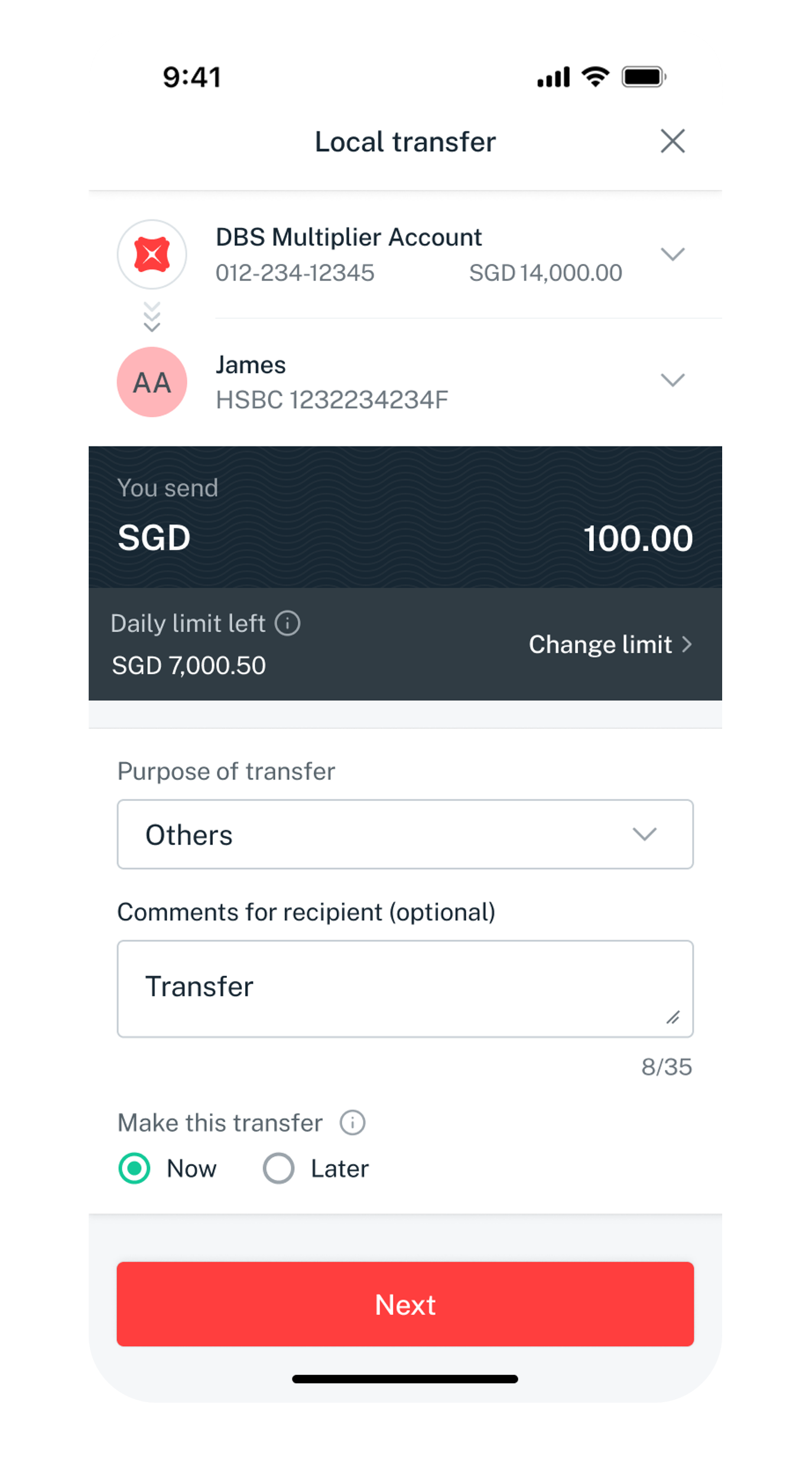
Enter the transfer details
Select the account to pay from, add the recipient (account number or PayNow ID), and enter the amount and purpose.
- 4
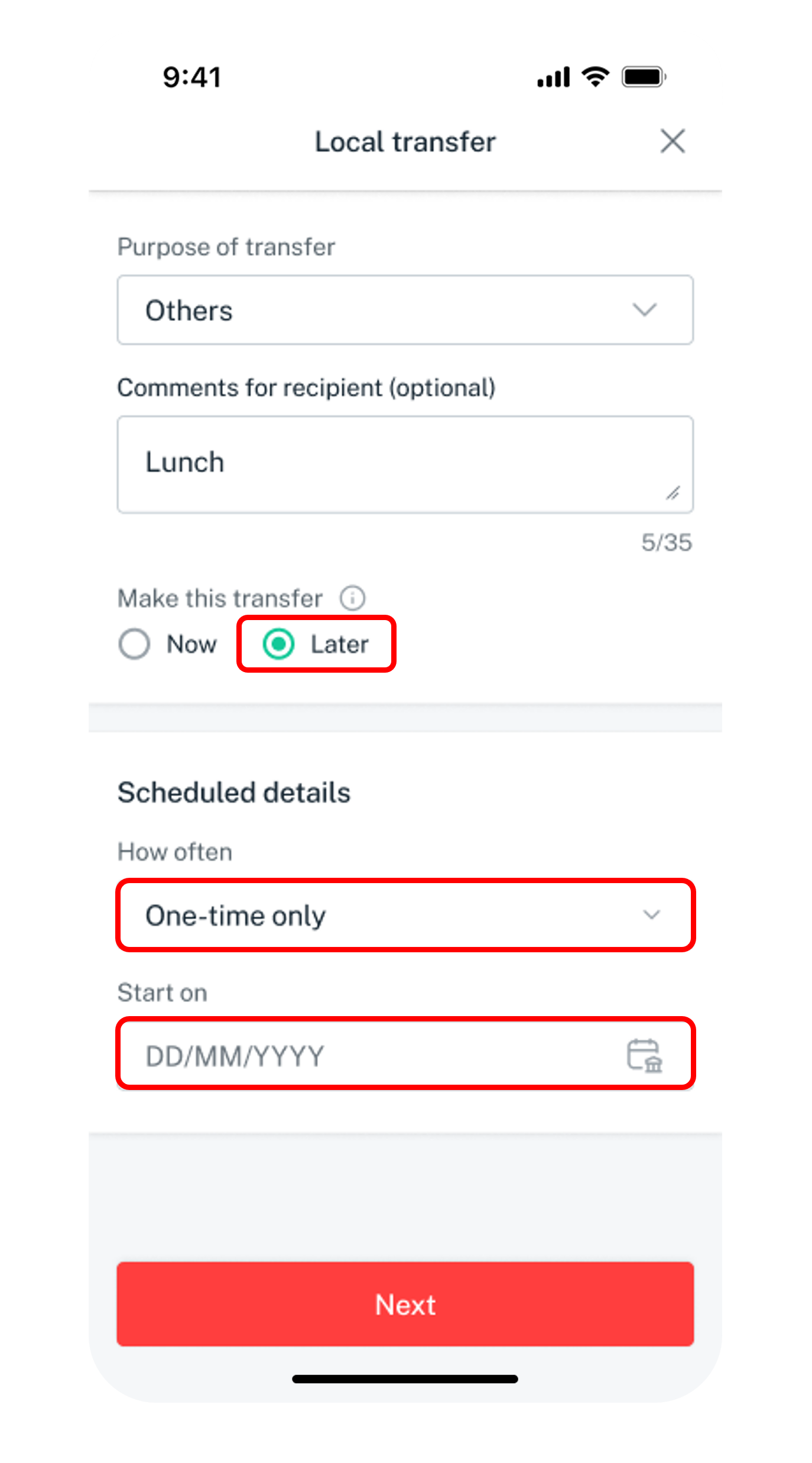
Send now or schedule
To send now, skip scheduling. To defer, choose "Later" and set the frequency and date.
- 5
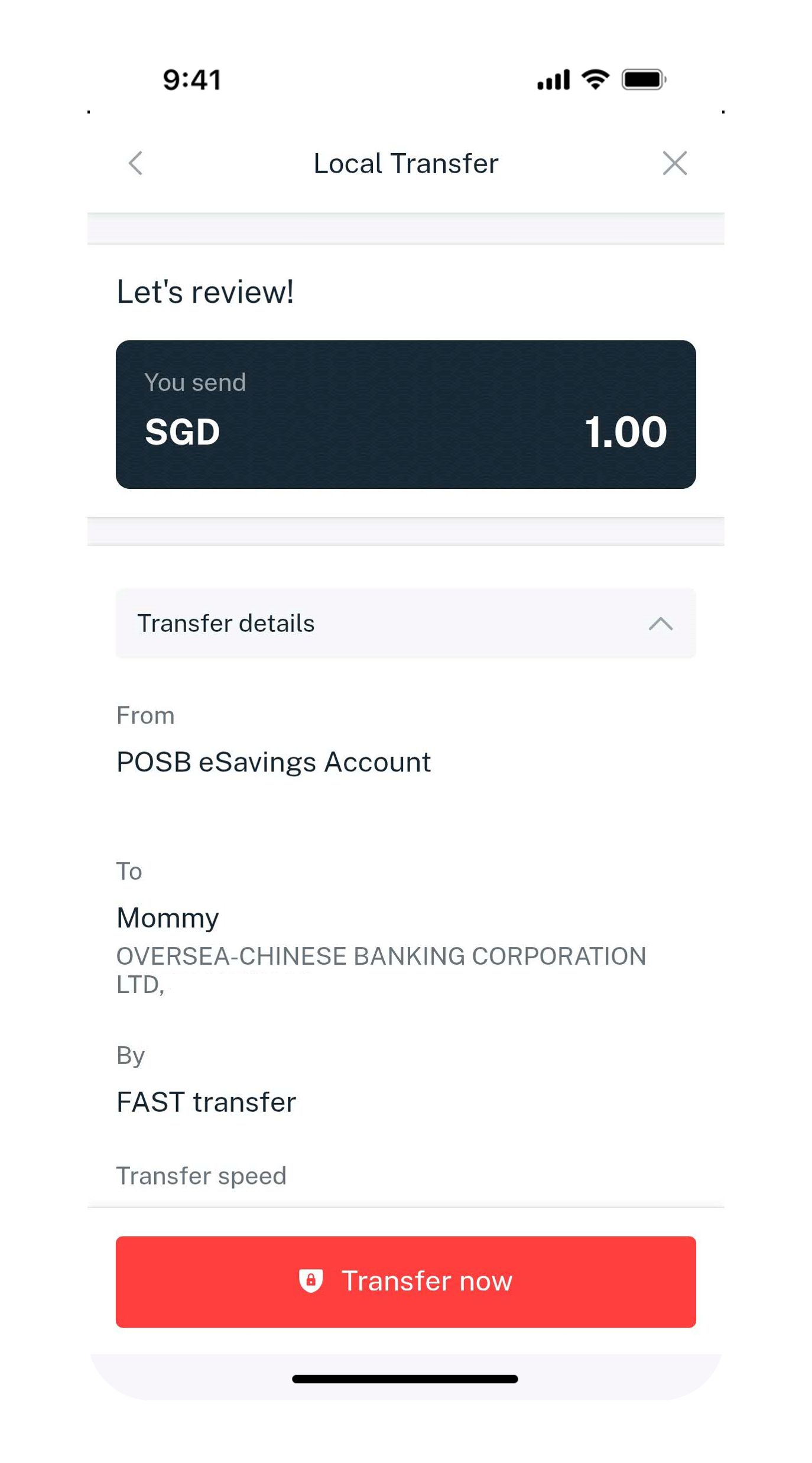
Verify and transfer
Review the details and tap "Transfer now".
- 6
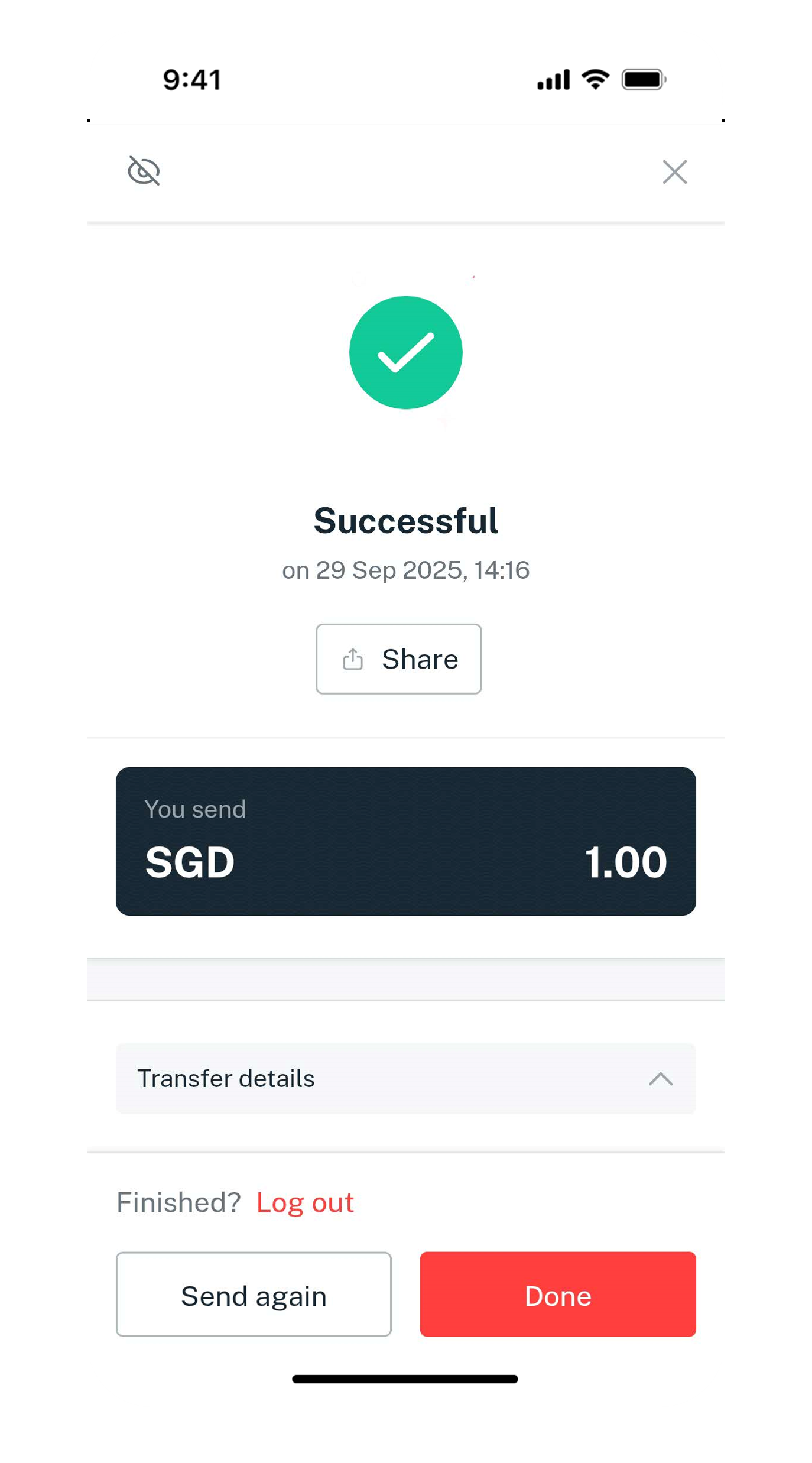
Done
The request is submitted — to FAST-participating banks the money arrives almost instantly.
- 1
Log in to digibank Online
Go to dbs.com.sg and log in with the digibank User ID and PIN.

- 2
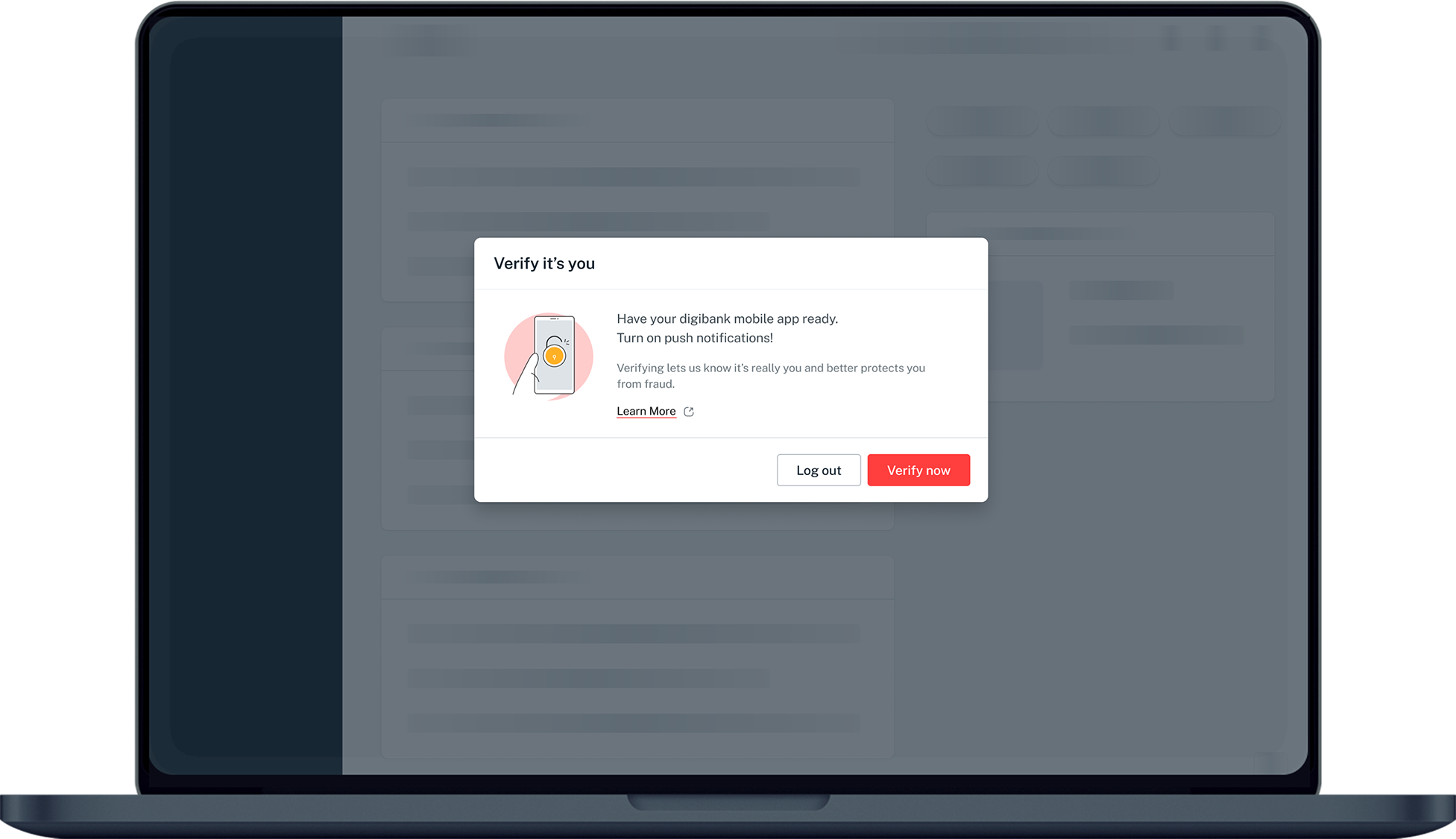
Complete 2FA
Complete the authentication process.
- 3
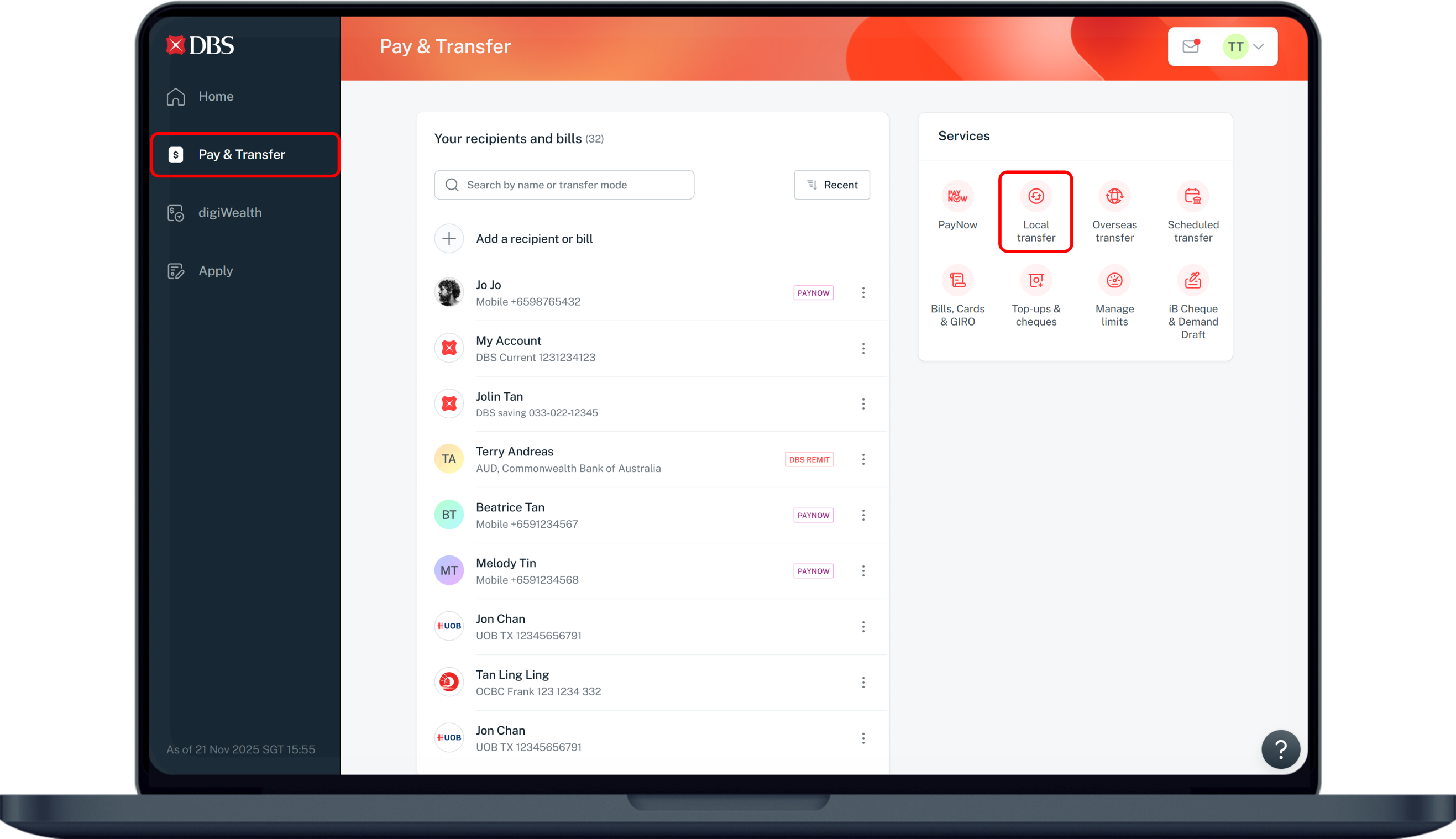
Open Local transfer
Click "Pay & Transfer", then select "Local transfer".
- 4
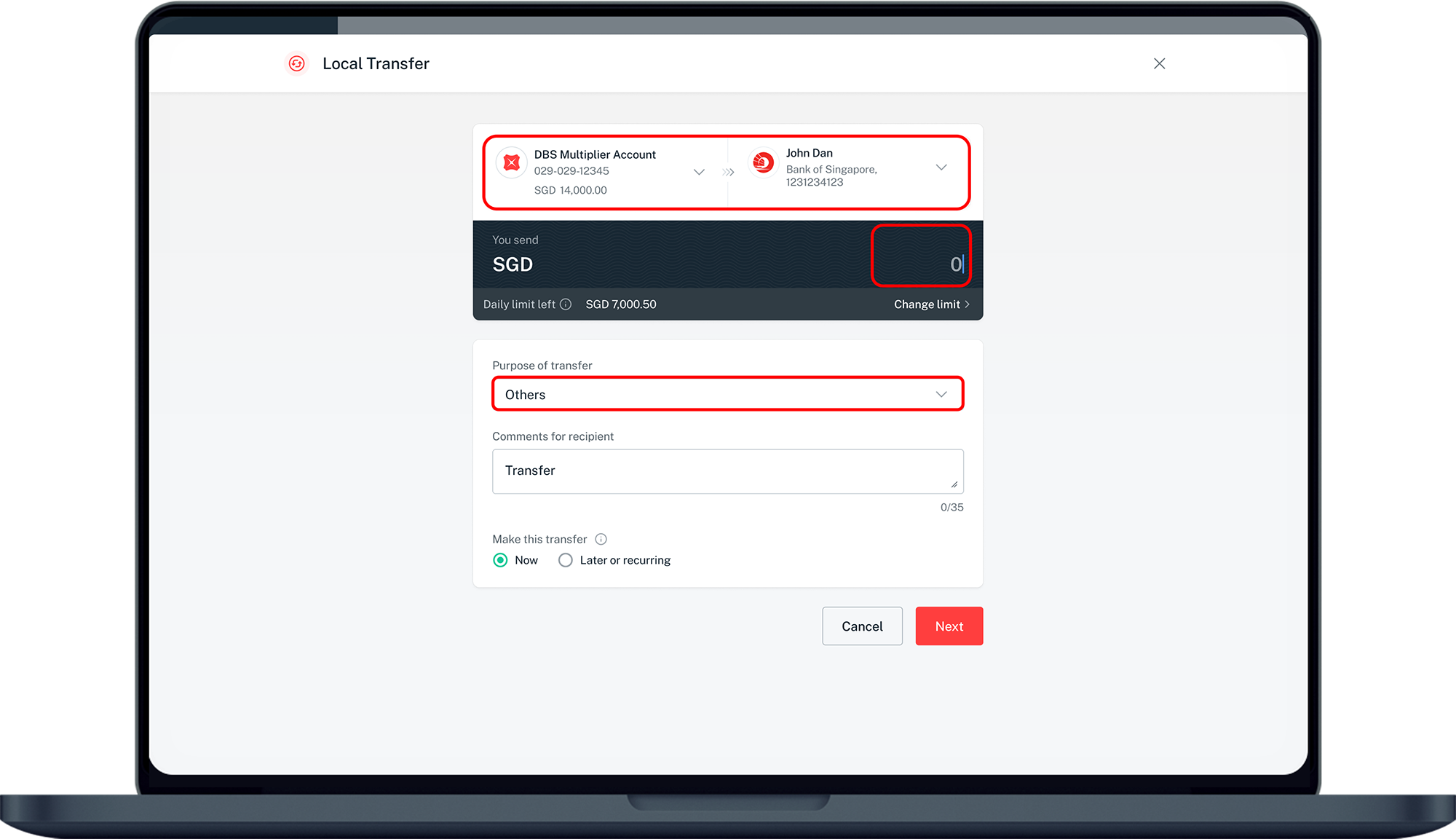
Enter the transfer details
Select the debit account, add the recipient, and enter the amount, purpose and any comments.
- 5
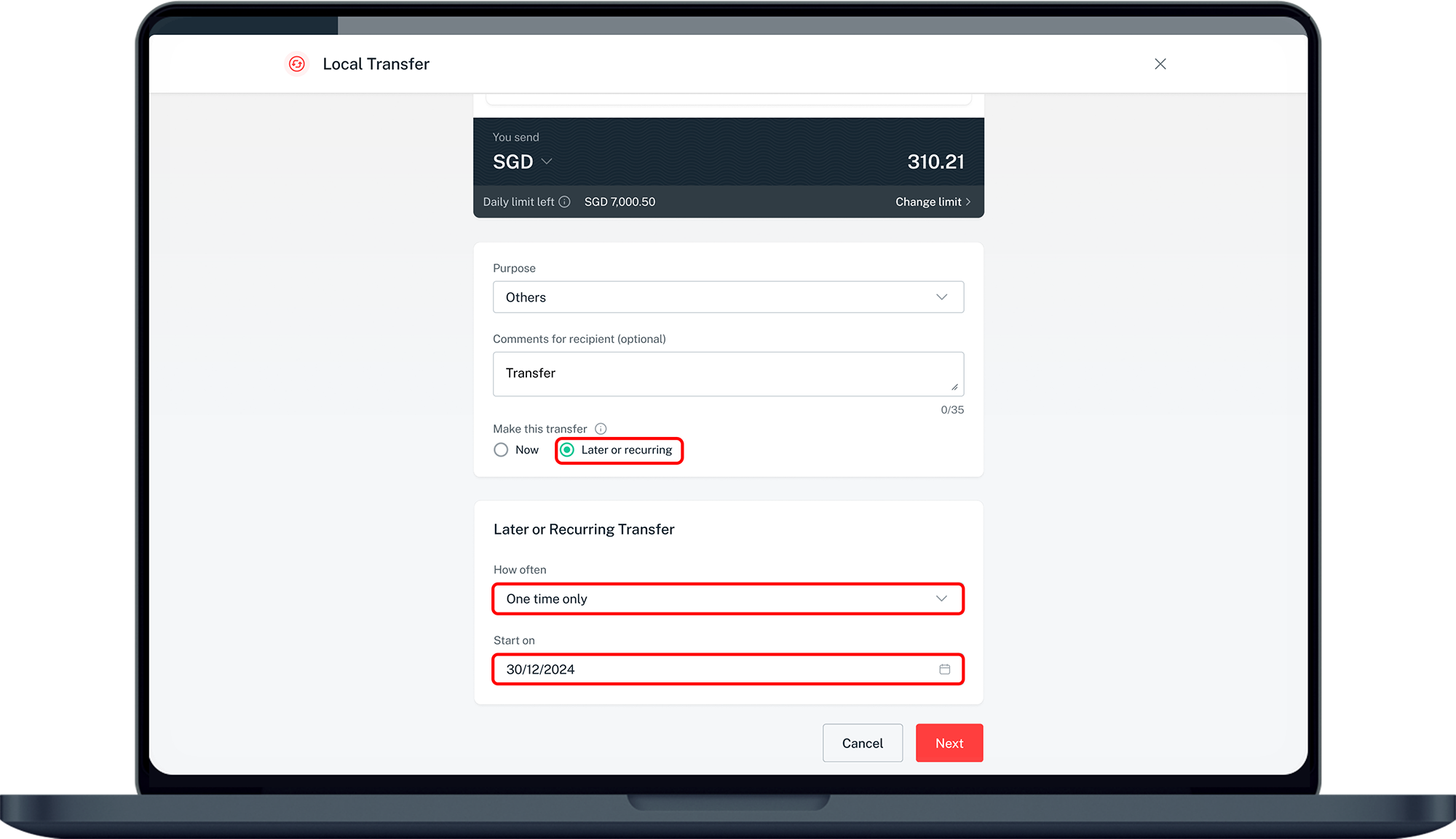
Send now or schedule
To send now, skip scheduling. For a future or repeating transfer, choose "Later" or "Recurring" and set the date.
- 6
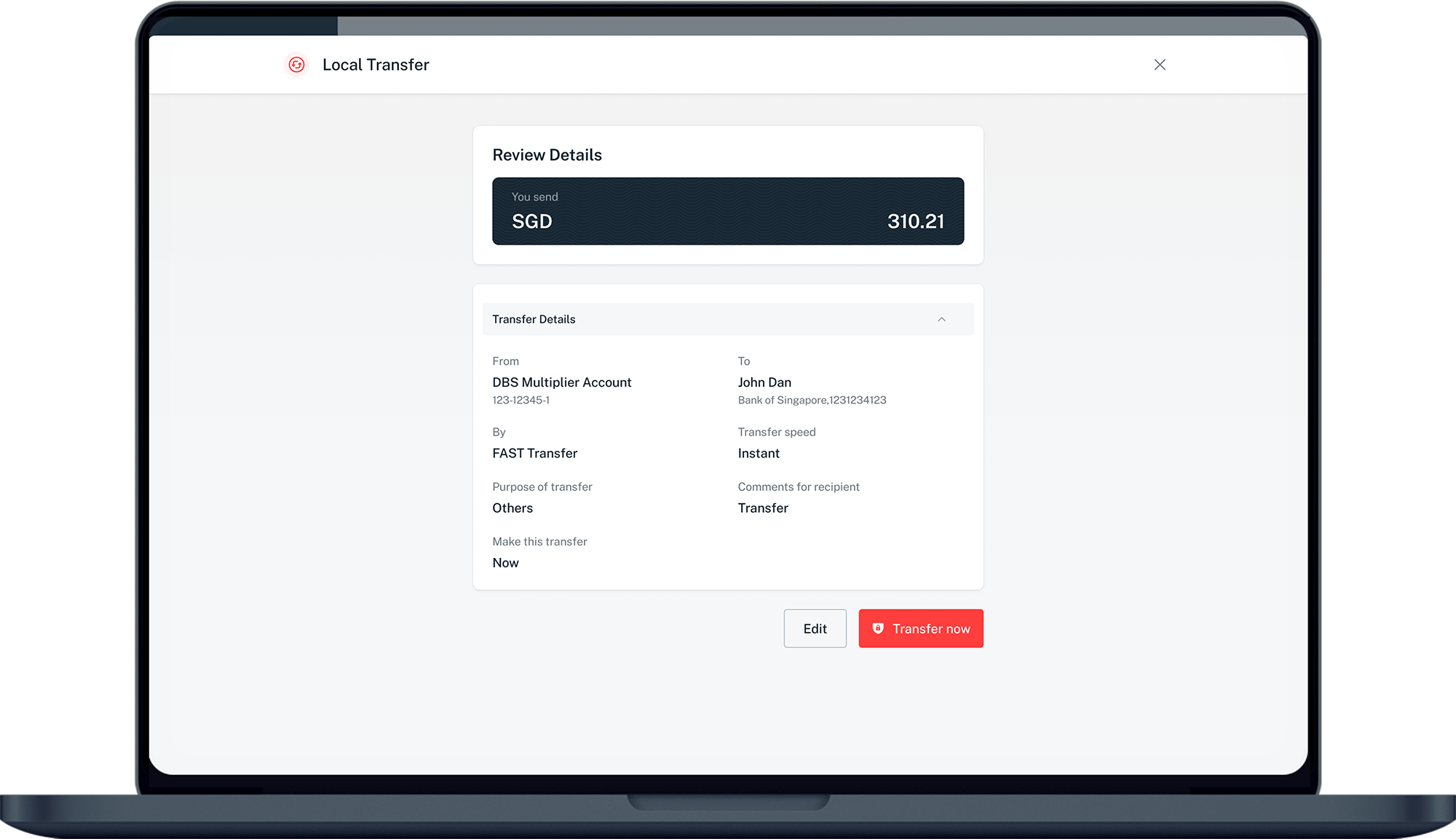
Verify the details
Review the transfer details.
- 7
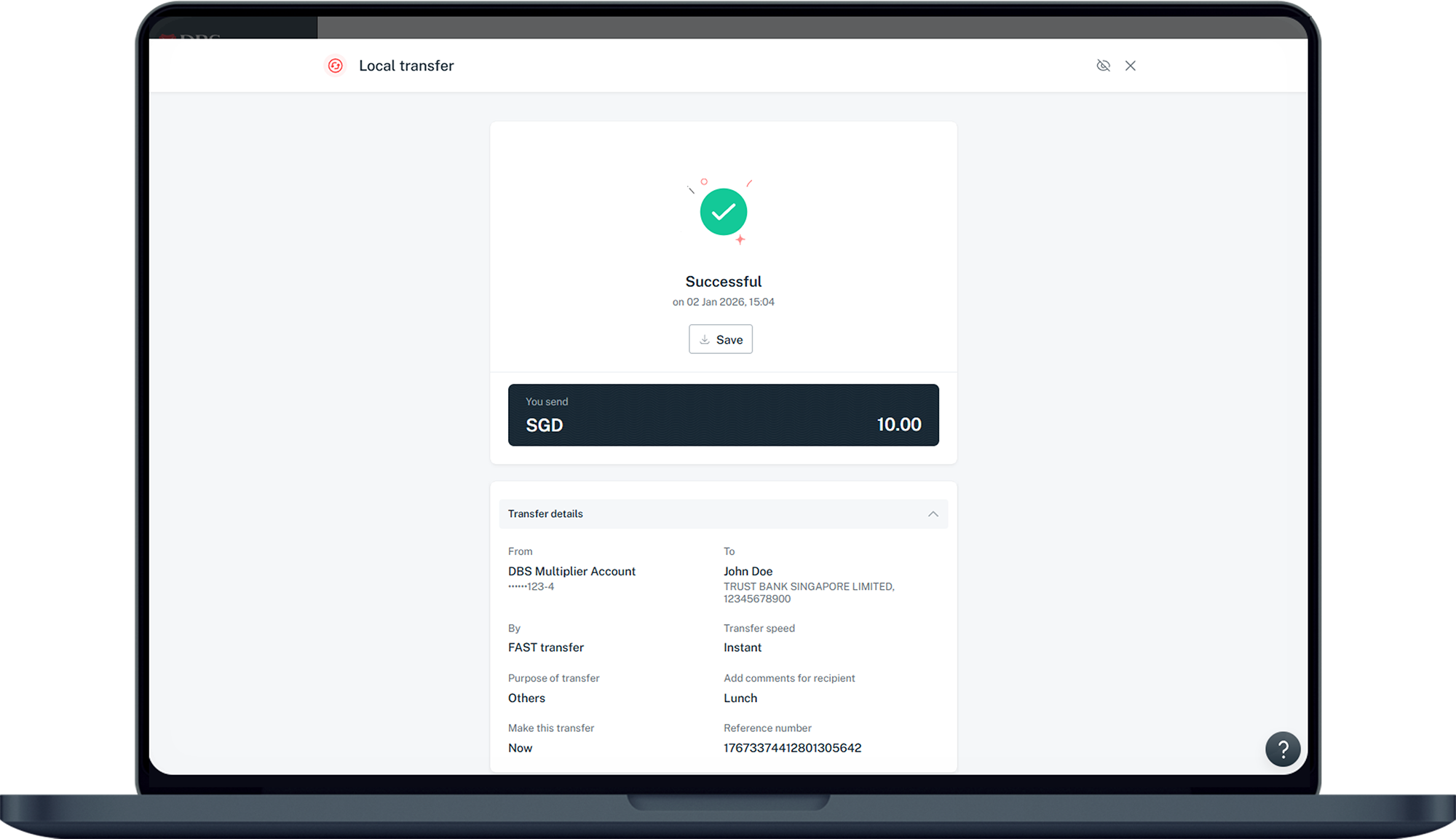
Submit
Click "Transfer now" to submit.
Reference for assisting clients. Bank screens, steps and limits change often — always confirm the current process with DBS Bank before advising the client.