How to Change Your OCBC Daily Transfer Limit
Adjust the daily transaction limits on your OCBC account — by transfer type such as local, PayNow and overseas — in the OCBC app or Internet Banking. A cooling period applies to increases.
 Singapore
Agent guide. Use these steps to walk the client through the process — the screenshots show exactly what they’ll see on screen.
Your OCBC account has daily transaction limits that cap how much you can transfer per day, set separately by transfer type (local transfers, PayNow, overseas, and more). Adjust them in the OCBC app or on OCBC Internet Banking. For security, a cooling period applies before an increase takes effect.
Before you start
- The OCBC app, or access to OCBC Internet Banking
- Your access code and PIN (or fingerprint ID / Face ID / Singpass)
- OCBC OneToken or a hardware token for authorisation
💡 Tip: For security, a cooling period applies before a limit increase takes effect. This daily transfer limit is separate from your card spending limit, which is changed under Card services.
Frequently asked questions
Why isn't my new limit active immediately?
A cooling-off period applies to limit increases as a fraud safeguard, so the higher limit takes effect a little later.
Is this the same as my card spending limit?
No — this caps daily fund transfers; the card spending limit caps card purchases and is changed under Card services → Manage card daily limit.
- 1
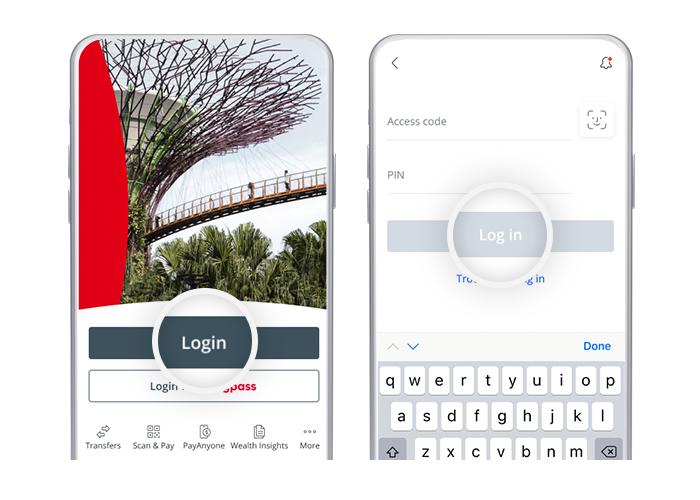
Log in to the app
Log in to the OCBC app with your access code and PIN, fingerprint ID, or Face ID.
- 2
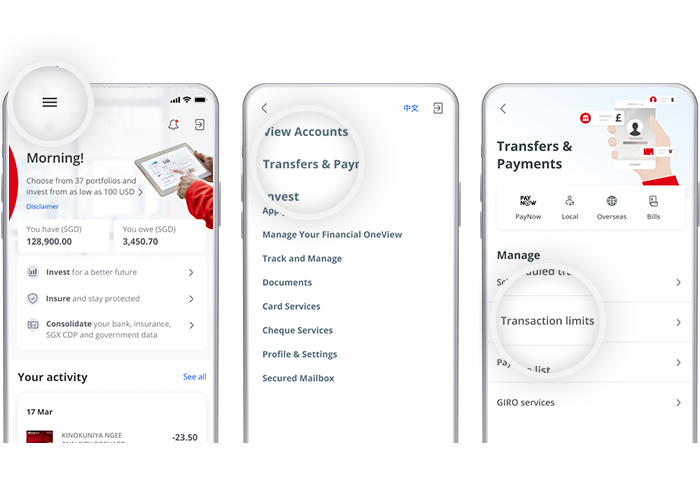
Open Manage transaction limits
Tap the menu icon (top left), select "Transfers & Payments", then "Manage transaction limits".
- 3
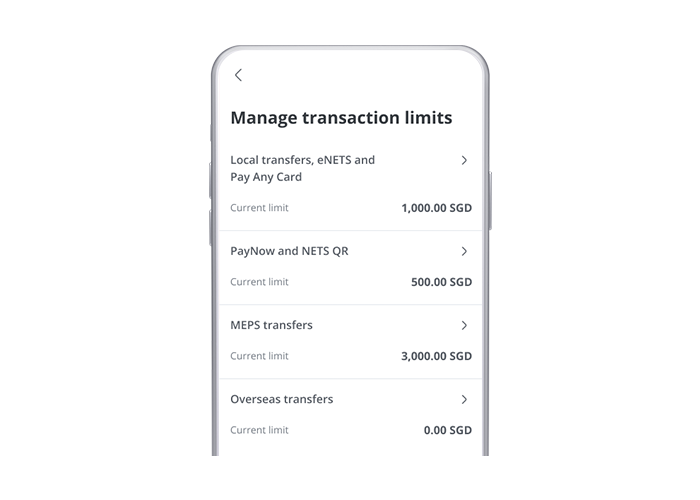
Choose the limit category
Select the transfer type to change — Local transfers / eNETS / Pay Any Card, PayNow & NETS QR, MEPS, or Overseas transfers.
- 4
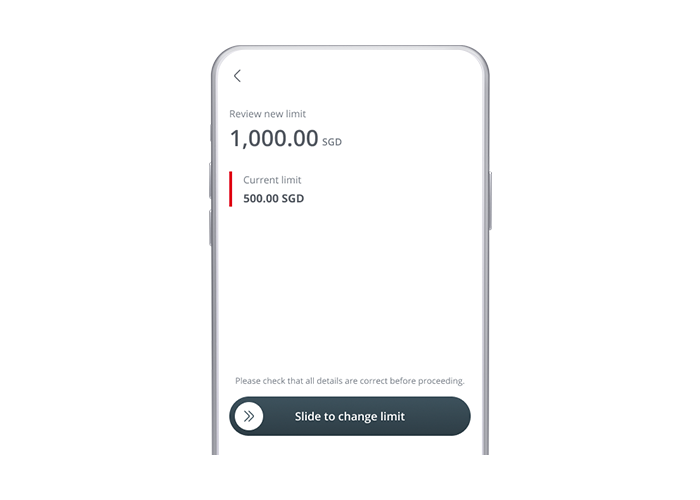
Enter and review the new limit
Enter your new daily limit and review it on screen.
- 5
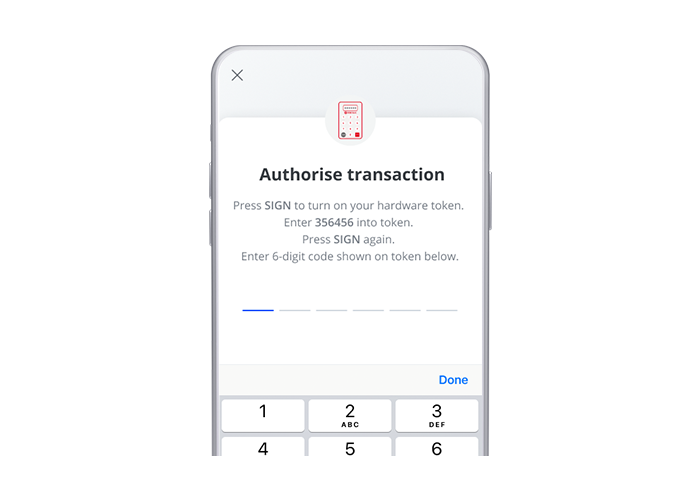
Authorise
Authorise the change with OCBC OneToken or a hardware token OTP.
- 6
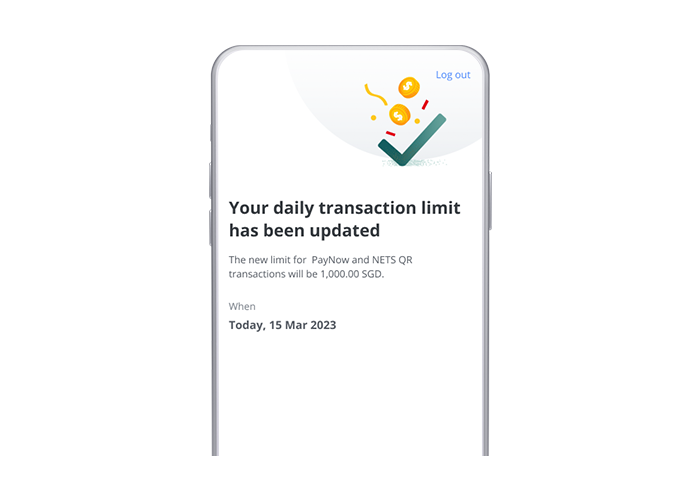
Done
The updated limit is confirmed.
- 1
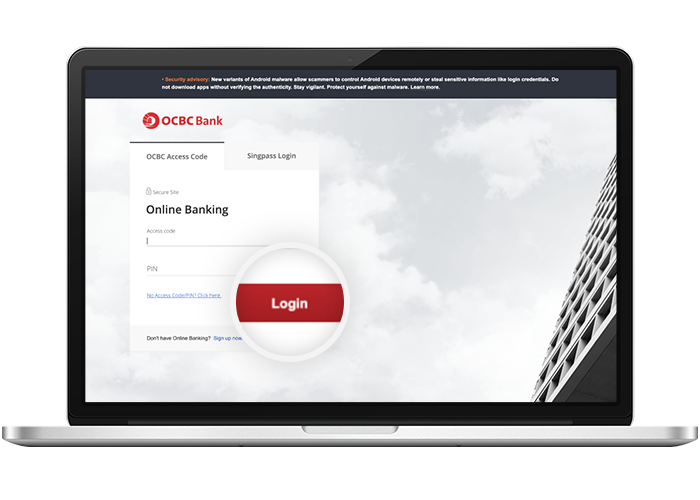
Log in to Online Banking
Log in with your access code and PIN.
- 2
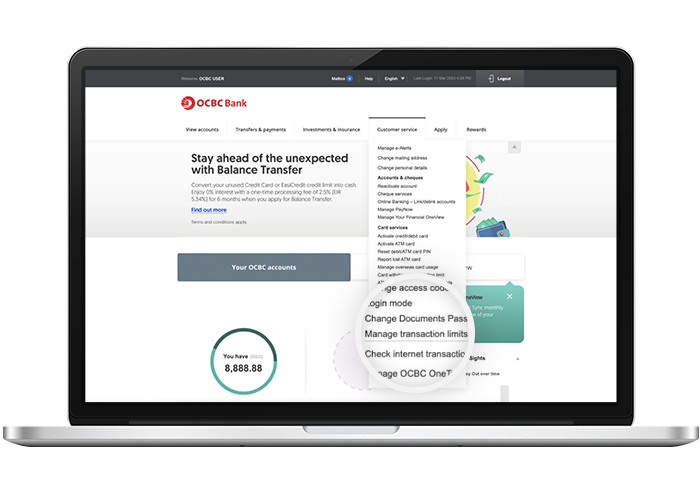
Open Manage transaction limits
Go to "Customer service" and select "Manage transaction limits".
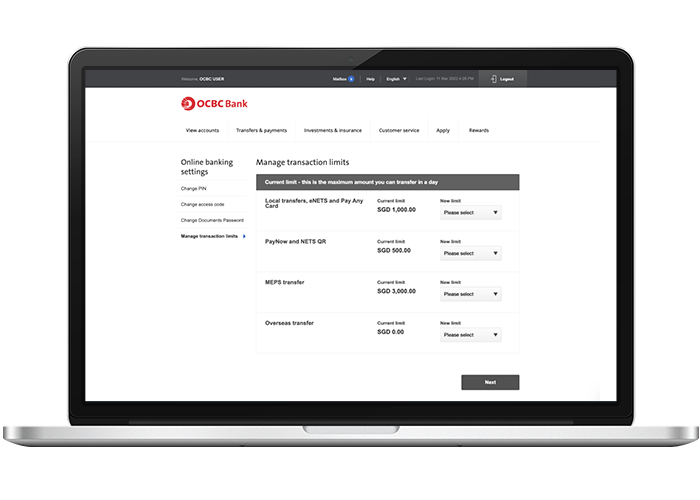
- 3
Select the new limit
Choose the transfer type and select your new preferred limit.
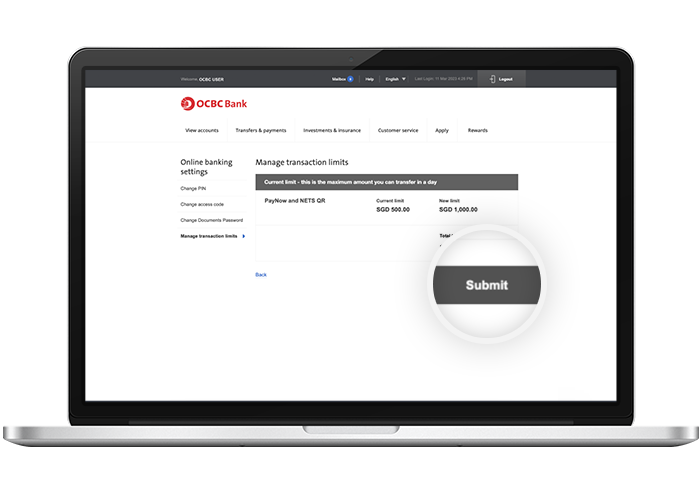
- 4
Review and submit
Review the new limit and submit the change.
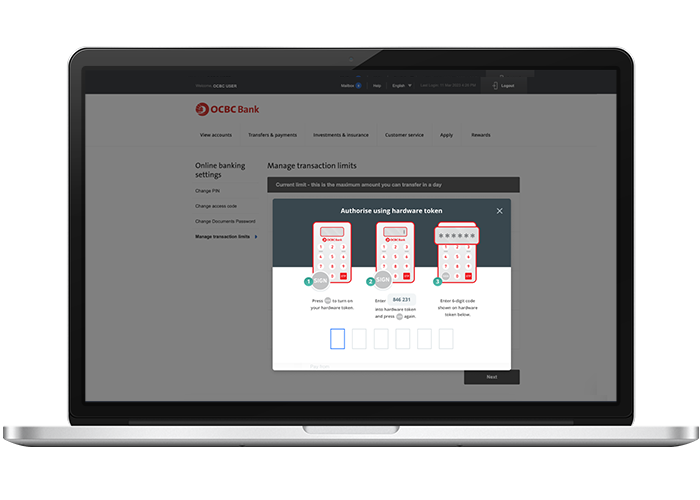
- 5
Authorise with a hardware token
Authorise the change using your hardware token.
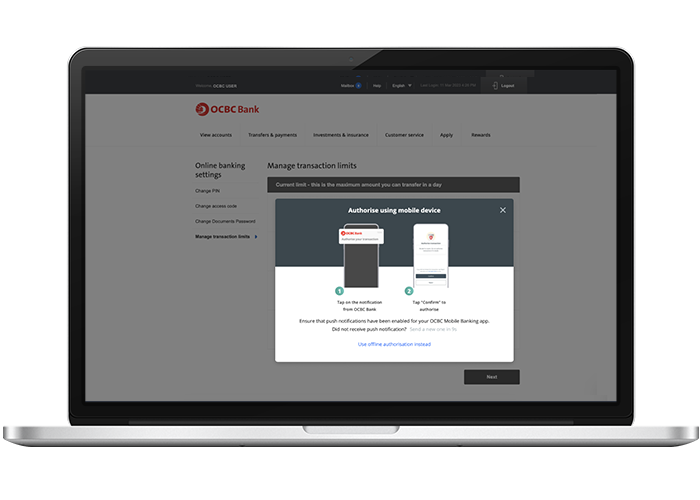
- 6
Or authorise with OneToken
Alternatively, authorise the change with OCBC OneToken on your mobile device.
- 7
Done
The updated limit is confirmed.
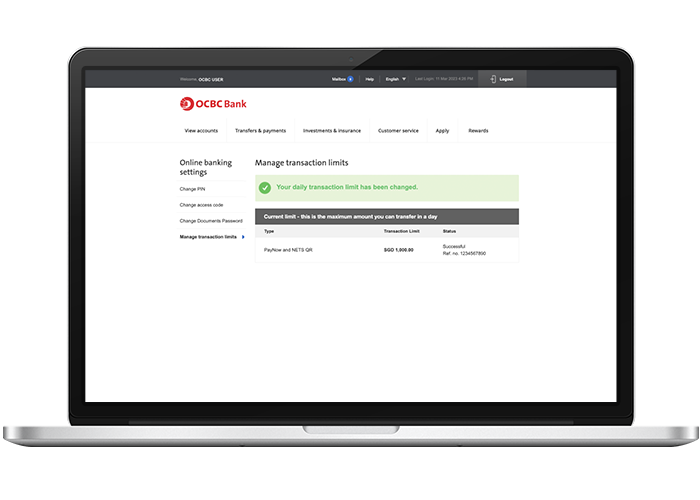
Reference for assisting clients. Bank screens, steps and limits change often — always confirm the current process with OCBC Bank before advising the client.