How to Approve a UOB Online Card Payment (3D-Secure)
Authenticate an online / e-commerce card payment with UOB by approving a digital-token push notification in the UOB TMRW app.
 Singapore
Agent guide. Use these steps to walk the client through the process — the screenshots show exactly what they’ll see on screen.
When the client pays online at a 3D-Secure merchant, UOB authenticates the payment with the digital token in the UOB TMRW app. They approve it by a push notification on the device registered for the digital token. (SMS OTP is being phased out for app users.)
Before you start
- The UOB TMRW app installed, with the digital token set up on the device
- Push notifications enabled for UOB TMRW
- A stable network connection
💡 Tip: If the client misses the push notification, they can retrieve the pending request from "Digital Token" on the UOB TMRW pre-login screen. From end-June 2025, SMS OTP is no longer available for UOB TMRW app users.
Frequently asked questions
The client didn't get a push notification — what now?
Check the digital token is set up and push notifications are on, then retrieve the pending request via "Digital Token" on the UOB TMRW pre-login screen.
- 1
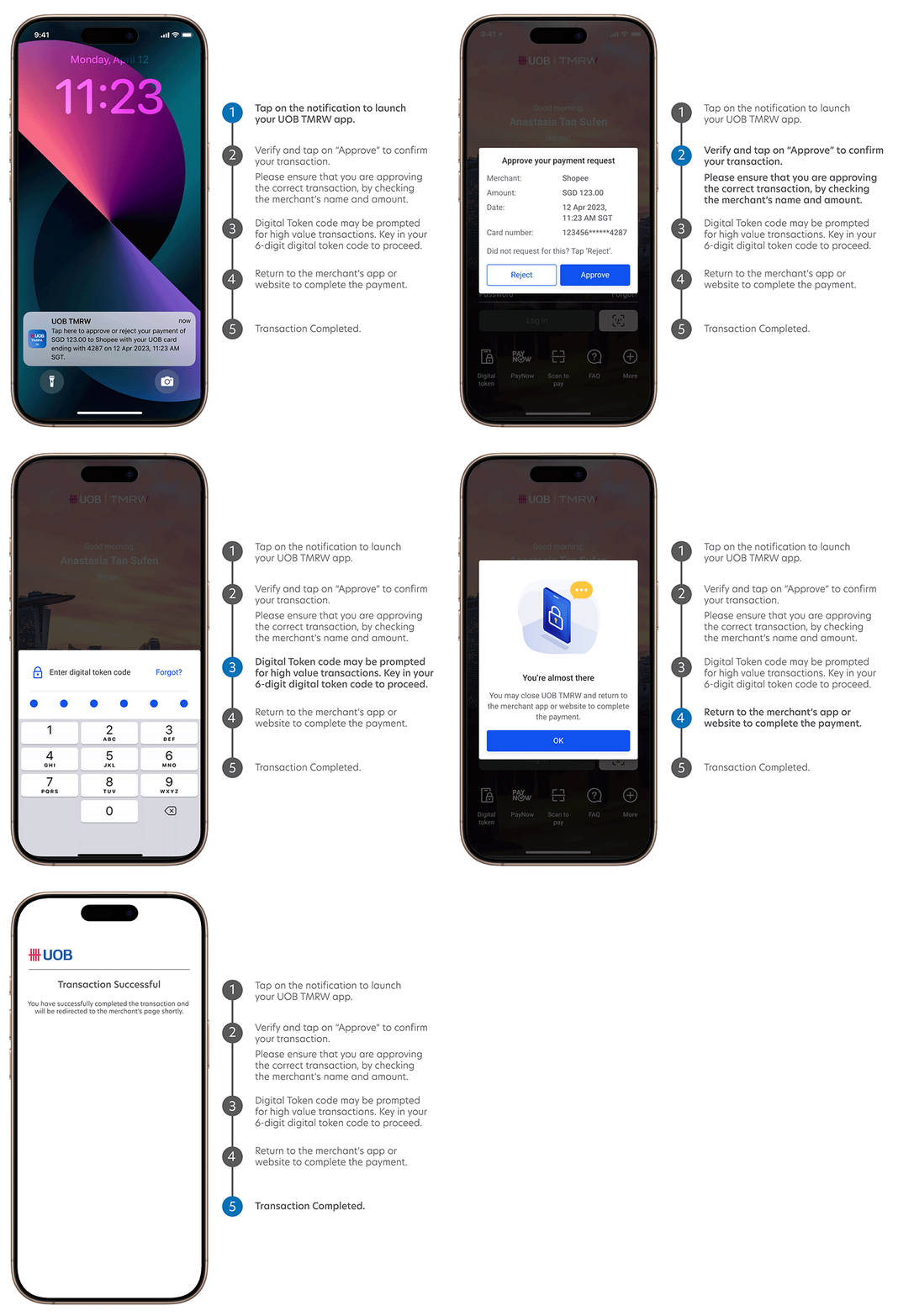
Get the push notification
Pay at a 3D-Secure merchant — UOB sends a push notification to the device registered for your digital token.
- 2
Open and review
Tap the notification to open UOB TMRW, and check the merchant name and amount.
- 3
Approve
Tap "Approve" to authenticate the payment.
- 4
Wait for the merchant
Wait up to 10 seconds for the merchant to process the approval.
Reference for assisting clients. Bank screens, steps and limits change often — always confirm the current process with UOB before advising the client.