How to Set Up OCBC Card Transaction Alerts (e-Alerts)
Get notified of OCBC card activity — card usage, ATM withdrawals and ATM transfers — by push, email or SMS, with your own threshold, set in the OCBC app.
 Singapore
Agent guide. Use these steps to walk the client through the process — the screenshots show exactly what they’ll see on screen.
Card e-Alerts notify the client of card activity — card usage, ATM cash withdrawals, and fund transfers or bill payments made at an ATM — by push notification, email or SMS. Set them up and choose a threshold in the OCBC app.
Before you start
- The OCBC app
- The client's access code and PIN (or fingerprint ID / Singpass)
- Push notifications enabled for the OCBC app (to receive push alerts)
💡 Tip: A low threshold catches small unauthorised "test" charges early. Overseas transaction alerts are always sent by SMS, regardless of your push settings.
Frequently asked questions
Which alerts can I set?
Credit/debit card usage, ATM cash withdrawals, and fund transfers or bill payments made at an ATM — each with your own threshold amount.
- 1
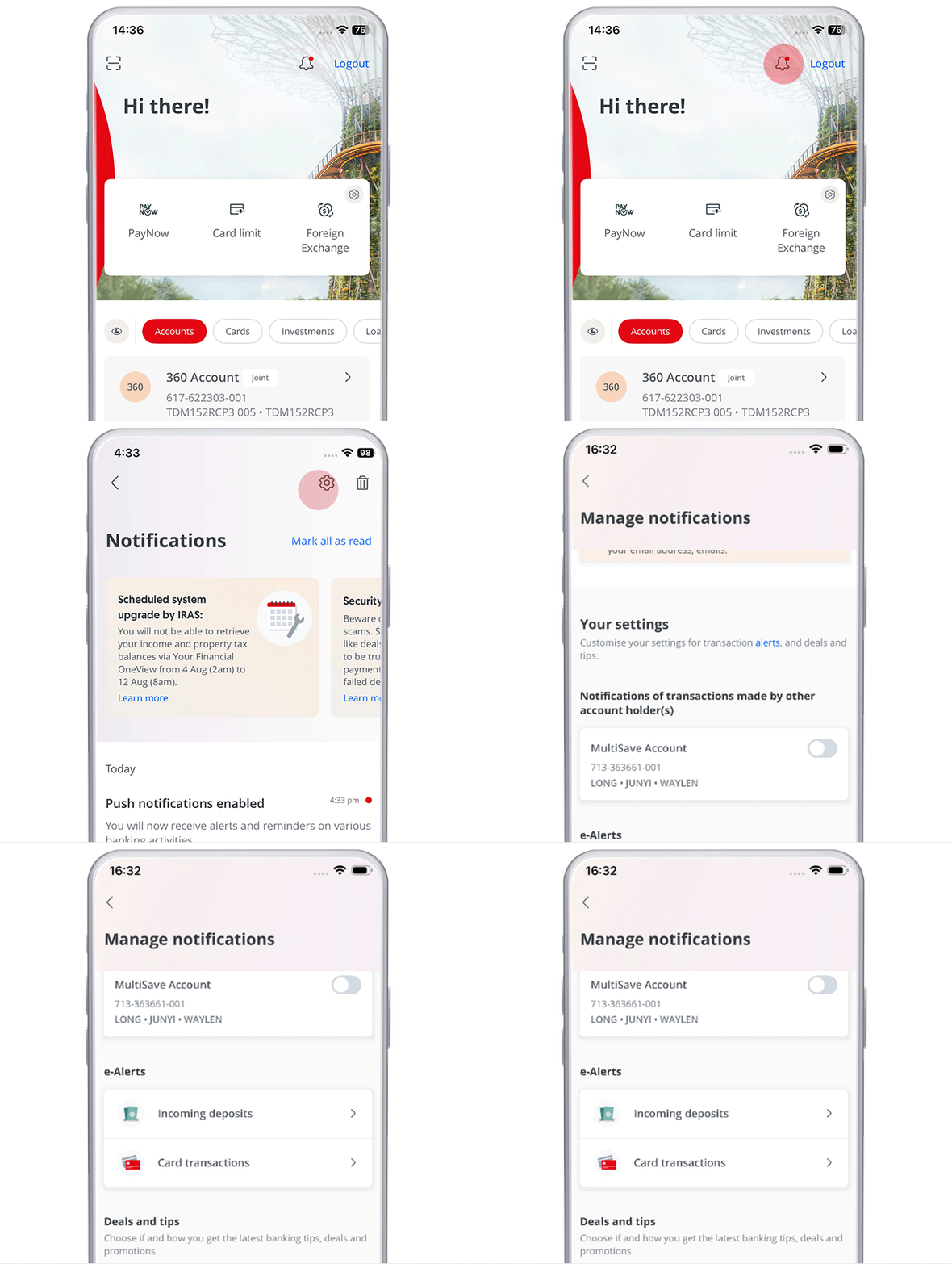
Open e-Alerts
Log in to the OCBC app and tap the bell icon (you can also tap it before logging in, or go via "More"), then open "e-Alerts".
- 2
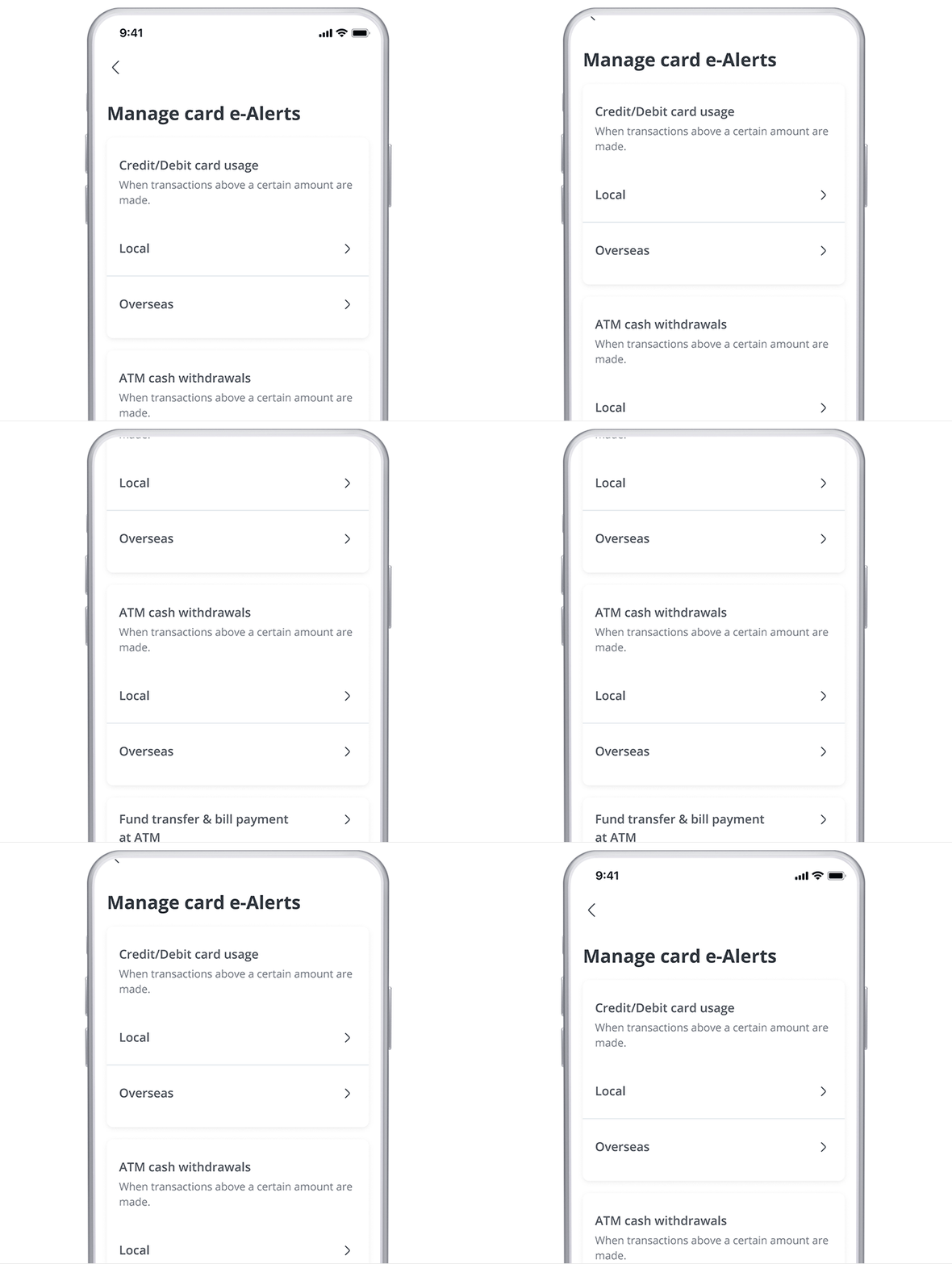
Choose the alert type
Select the type of card transaction alerts you wish to customise — card usage, ATM cash withdrawals, or fund transfer & bill payments at an ATM.
- 3
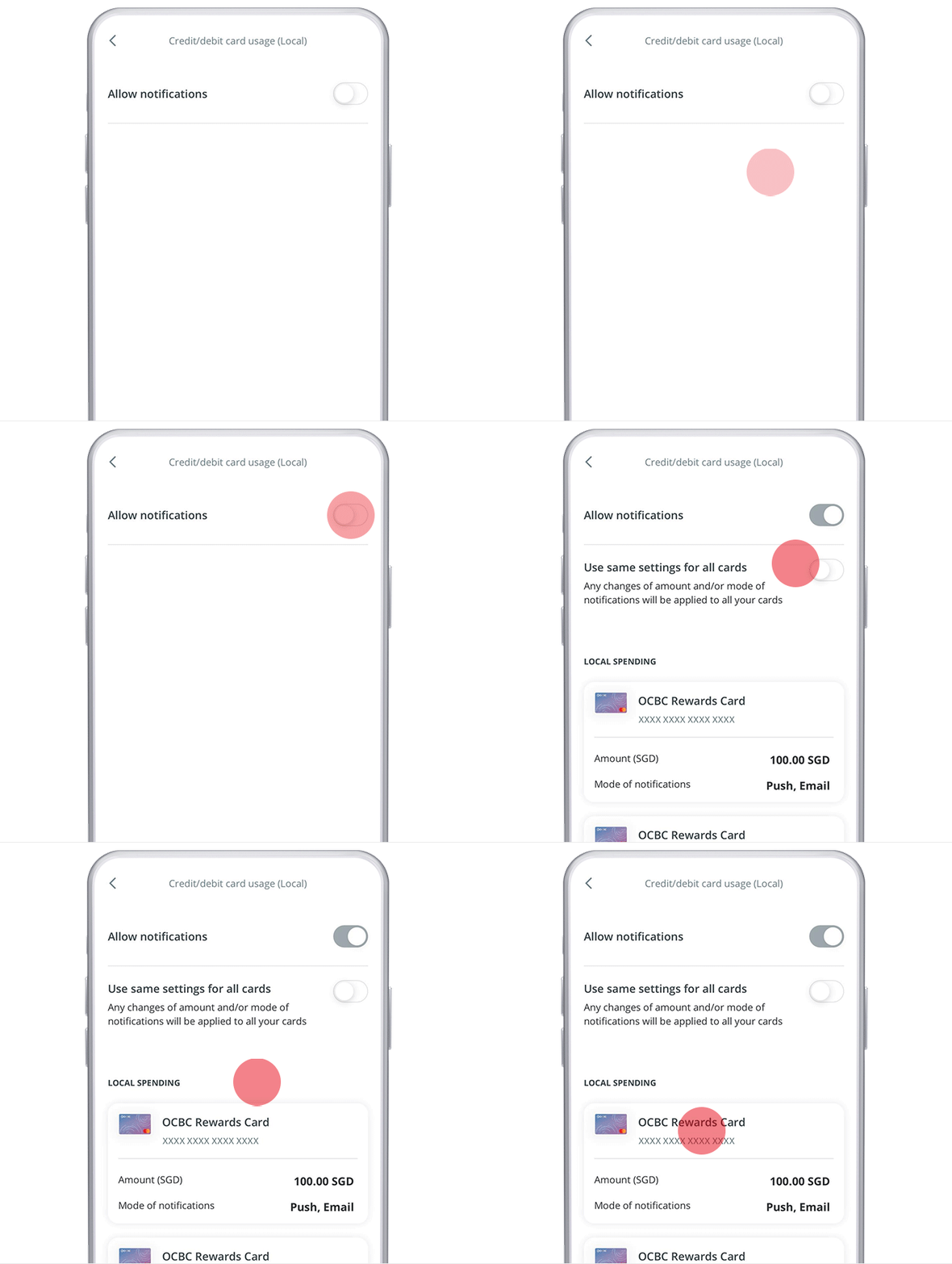
Enable notifications
Update the settings to enable notifications, and choose the card (or apply to all cards).
- 4
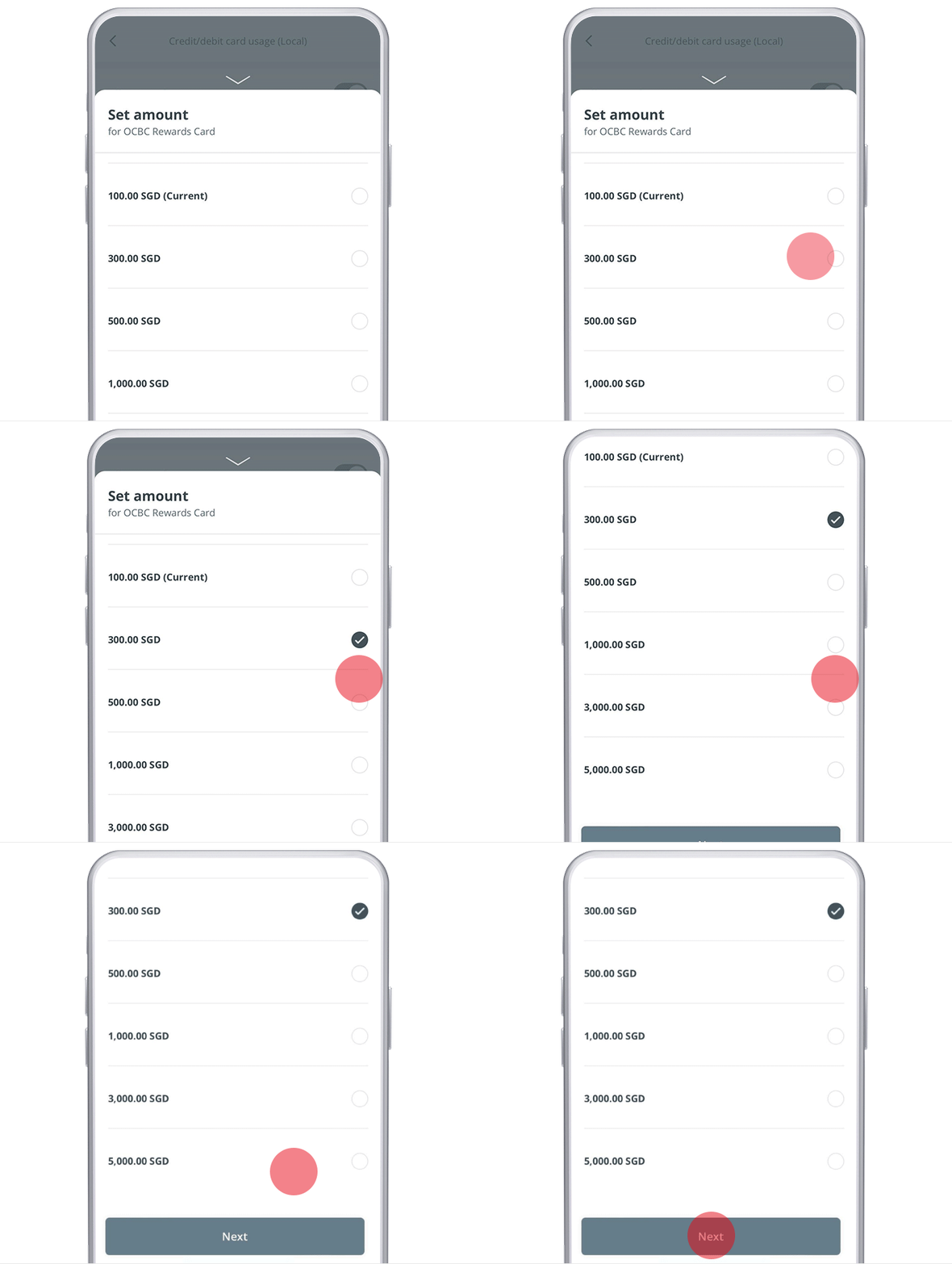
Set a threshold
Set your preferred threshold amount — you'll be notified when a transaction exceeds it.
- 5
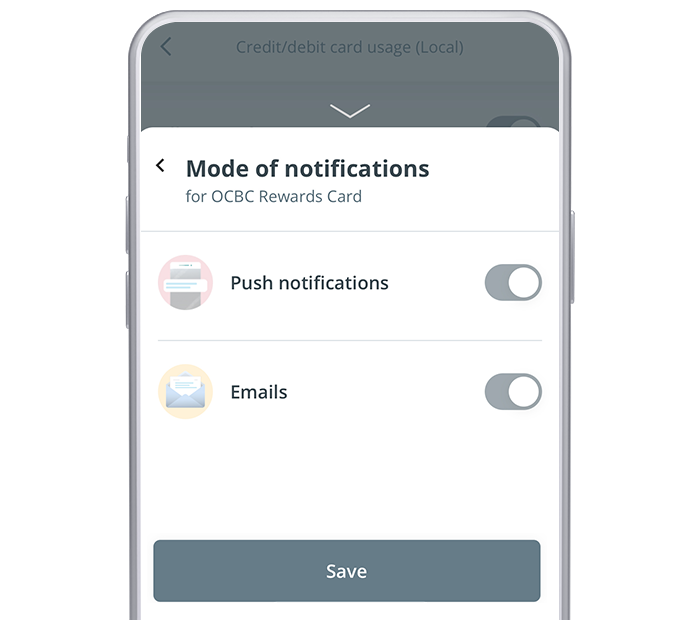
Choose how to be notified
Set your preferred mode of notification (push + email, or SMS + email). Overseas alerts are always sent by SMS.
- 6
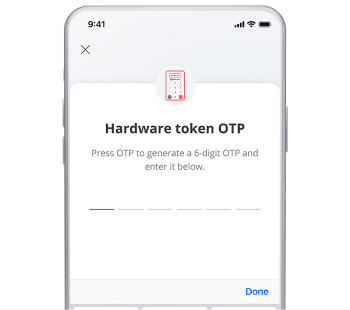
Authorise
Authorise the change with SMS OTP, a hardware token OTP, or OCBC OneToken.
- 7
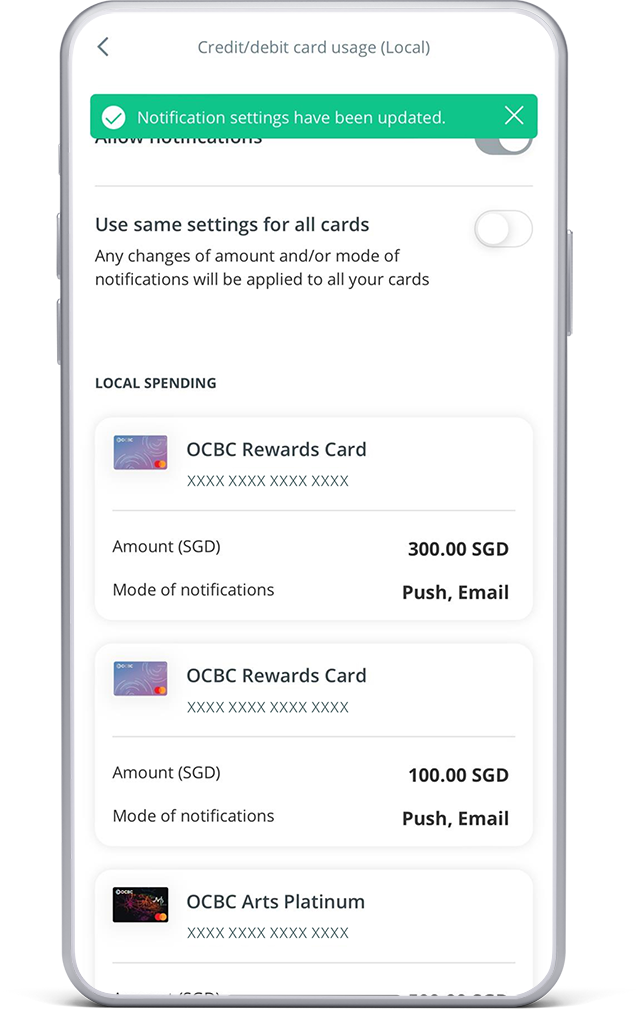
Done
And you're done — your alert settings are updated.
Reference for assisting clients. Bank screens, steps and limits change often — always confirm the current process with OCBC Bank before advising the client.