How to Pay Your OCBC Credit Card Bill
Pay your OCBC credit card bill in a couple of minutes — the full balance, the minimum, or a custom amount — in the OCBC app or OCBC Internet Banking.
 Singapore
Agent guide. Use these steps to walk the client through the process — the screenshots show exactly what they’ll see on screen.
Paying your OCBC credit card bill takes a couple of minutes in the OCBC app or on OCBC Internet Banking. You can pay the full outstanding balance, the minimum payment, or any other amount you choose.
Before you start
- The OCBC app, or access to OCBC Internet Banking
- Your access code and PIN (or fingerprint ID / Singpass on the app)
- An OCBC account to pay from
💡 Tip: Paying from an OCBC account is immediate. Pay the full outstanding balance each month to avoid interest charges. You can also set up a recurring bill payment so it's paid automatically each month.
Frequently asked questions
How much should I pay?
You can pay the full outstanding balance, the minimum payment, or any other amount. Paying in full each month avoids interest.
Can I pay another bank's credit card?
Yes — OCBC lets you pay another bank's credit card as a billing organisation under Pay bills.
- 1
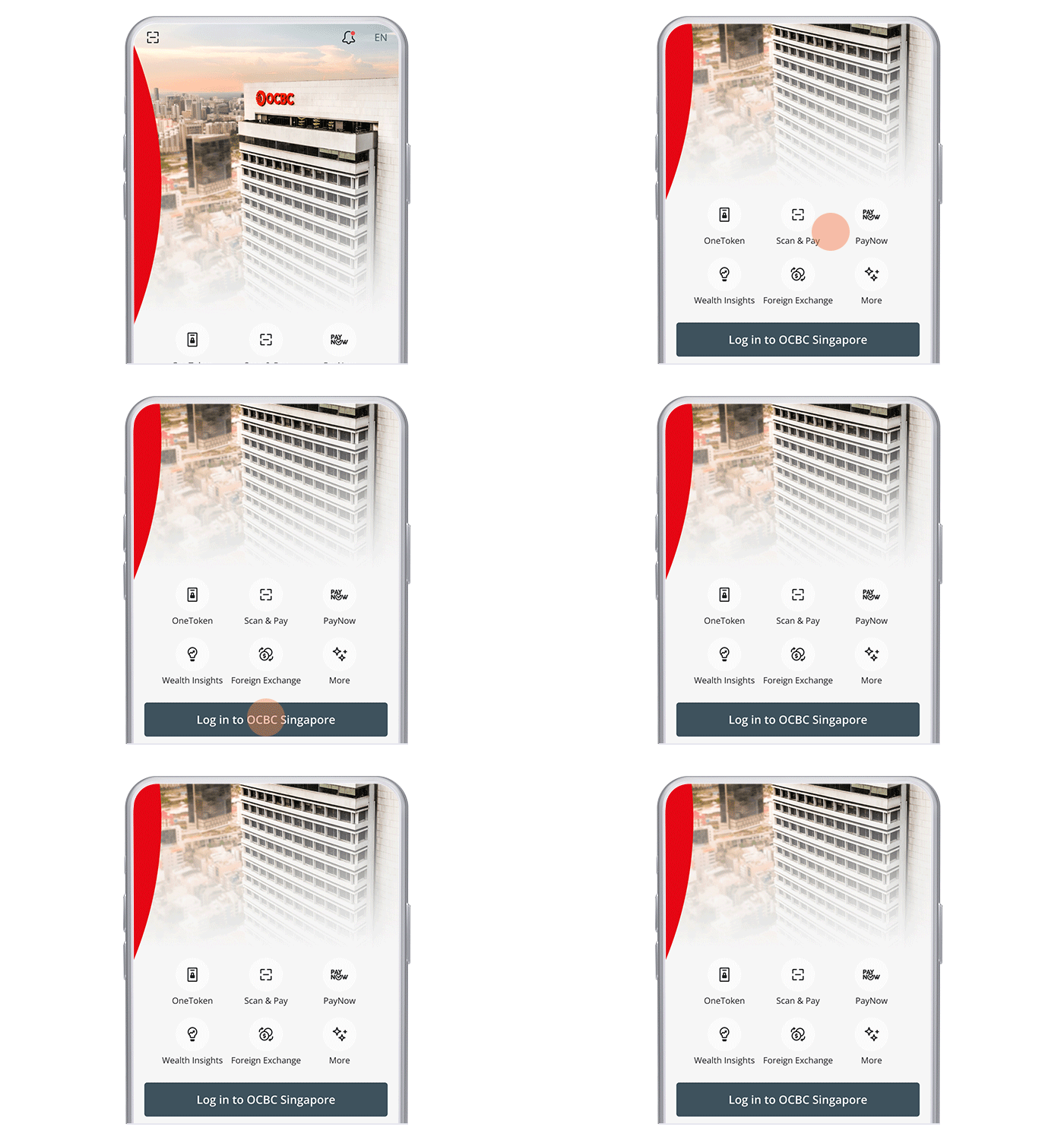
Log in to the app
Log in to the OCBC app with your access code and PIN, or fingerprint ID.
- 2
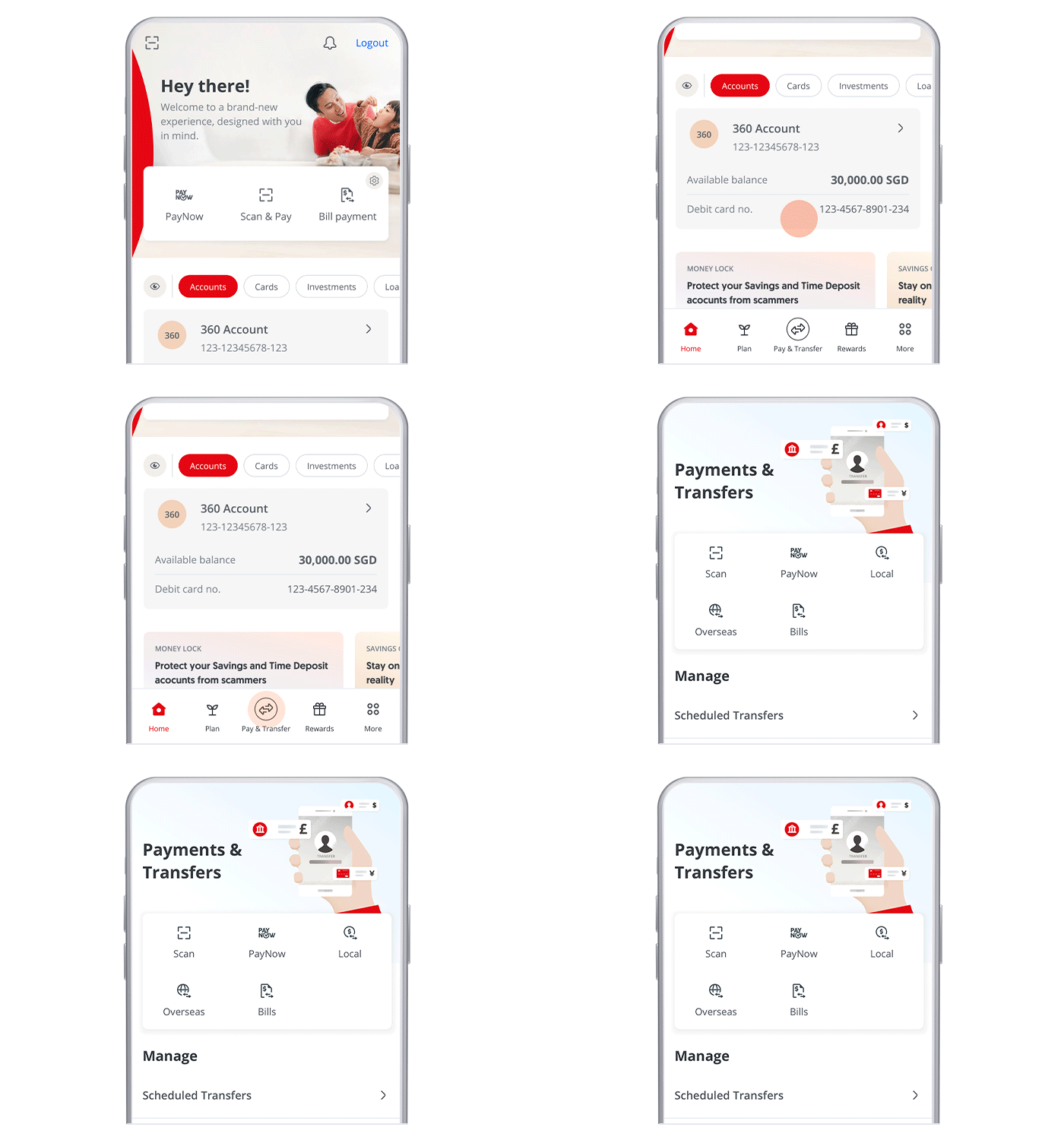
Open Pay & Transfer
Tap "Pay & Transfer" at the bottom navigation bar.
- 3
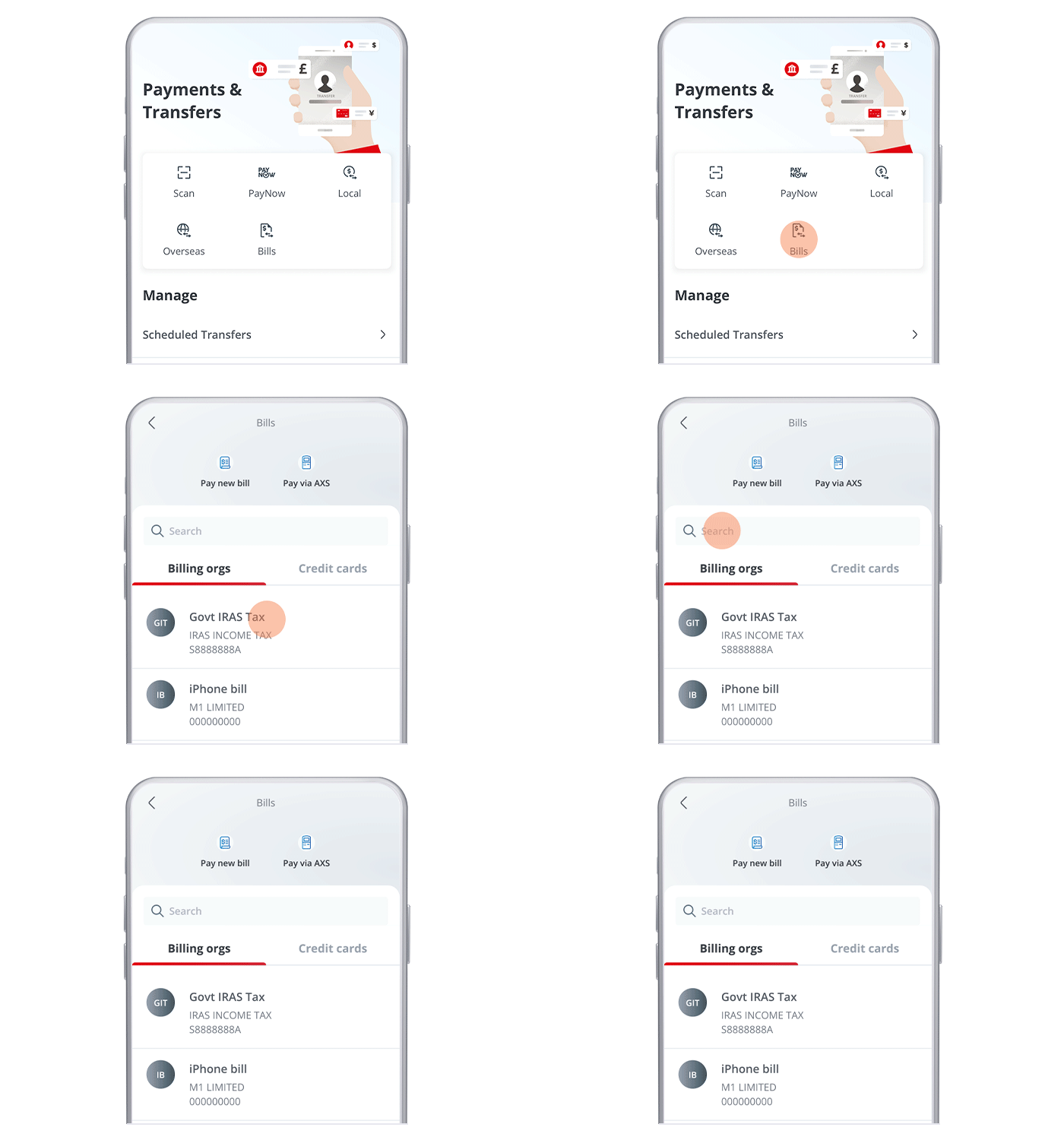
Open Bills and choose the card
Tap "Bills", then choose the OCBC credit card you wish to pay.
- 4
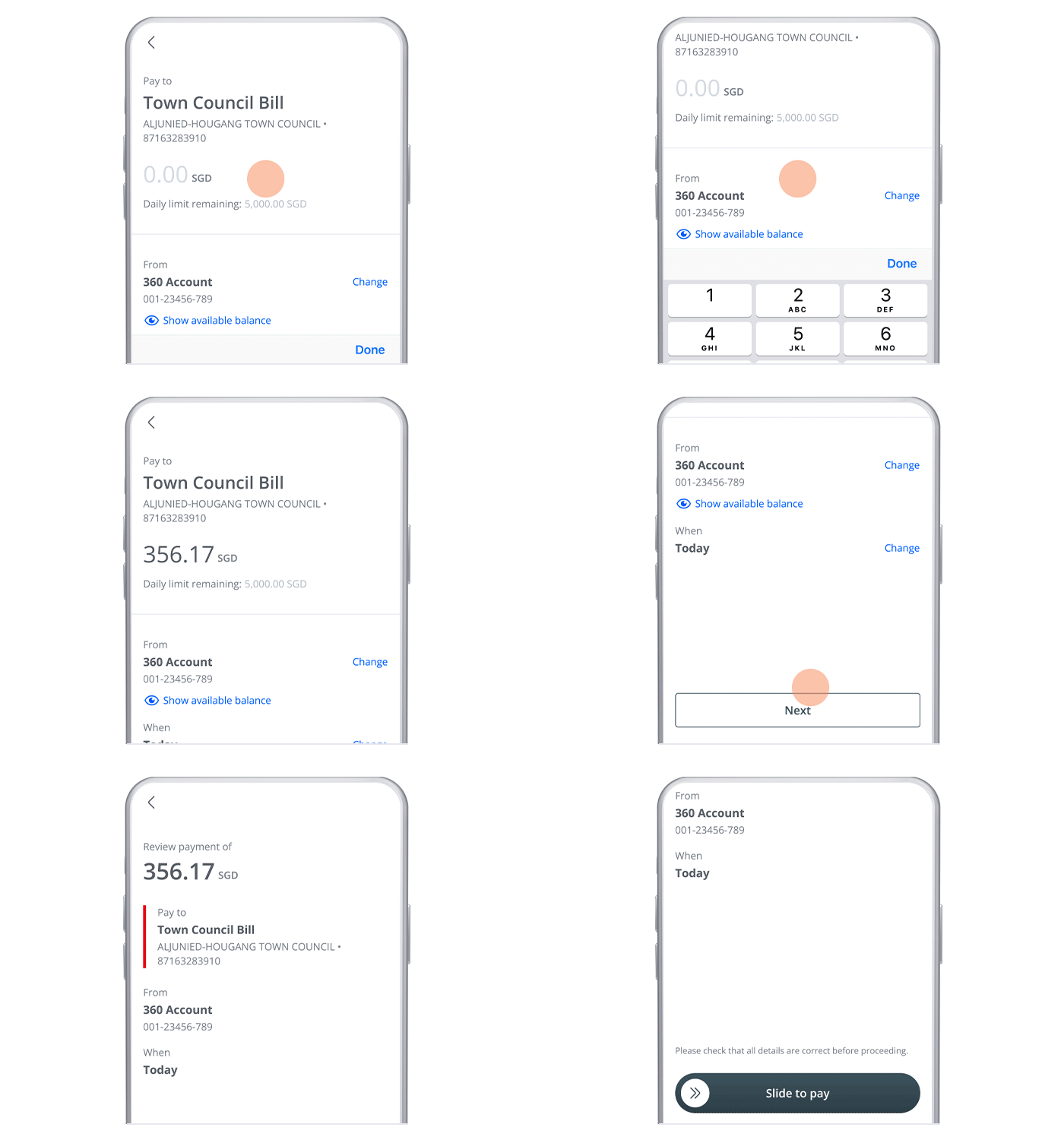
Enter the amount
Enter the amount you wish to pay — full, minimum or other — and tap "Next".
- 5
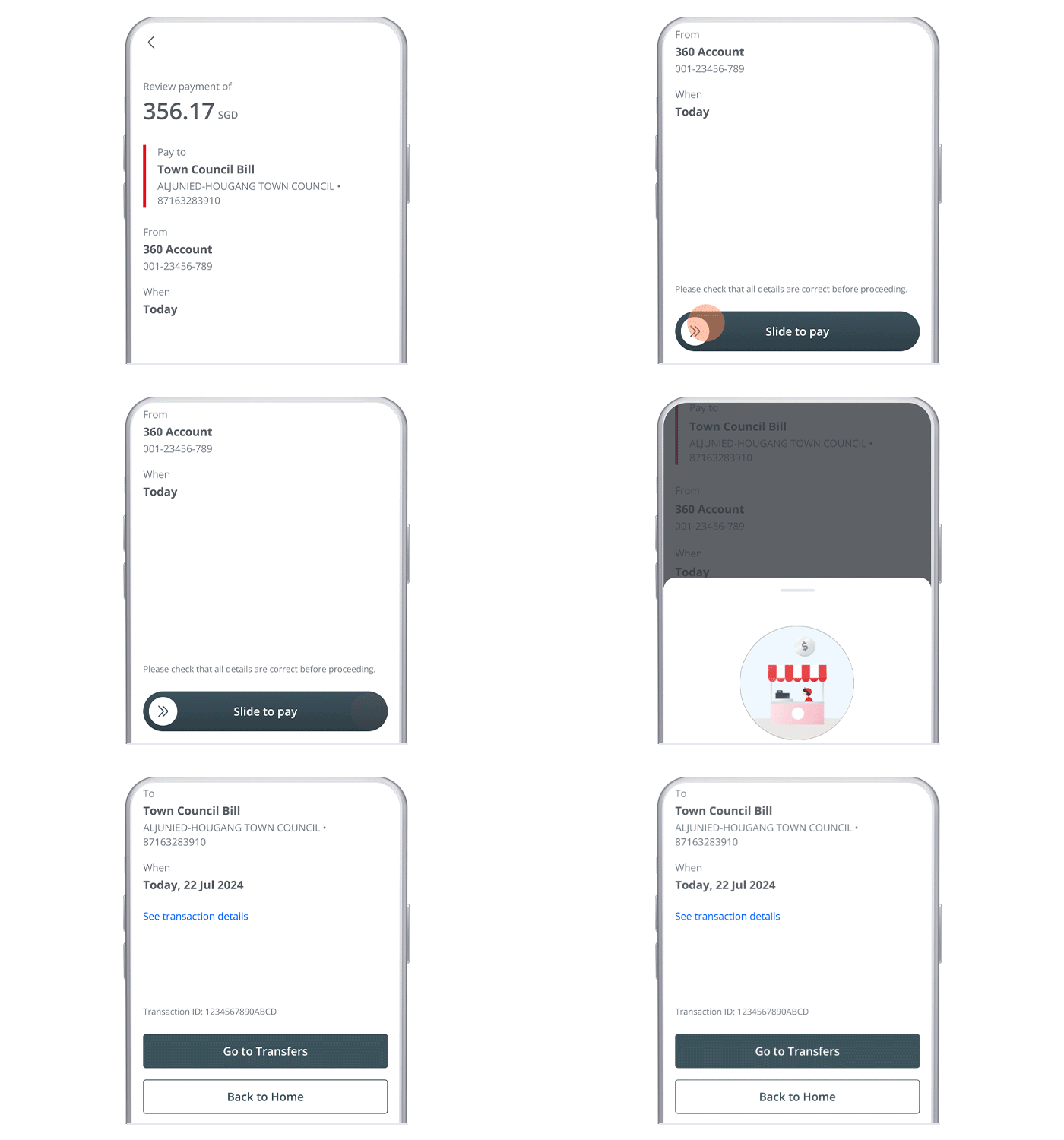
Slide to pay
Use the slider to complete the payment — and you're done!
- 1
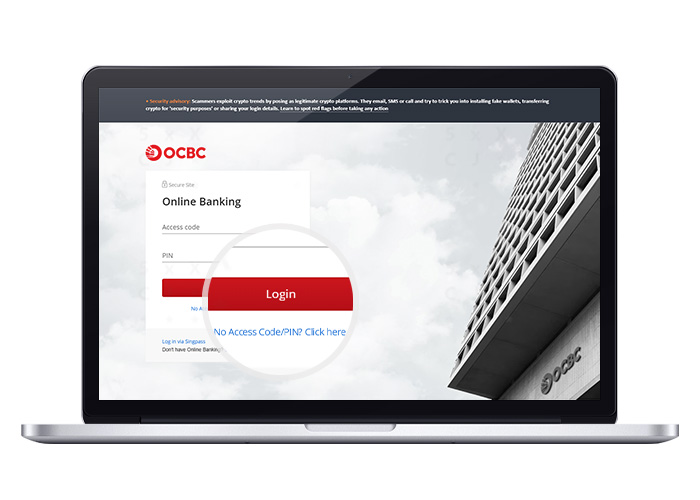
Log in to Online Banking
Log in with your access code and PIN.
- 2
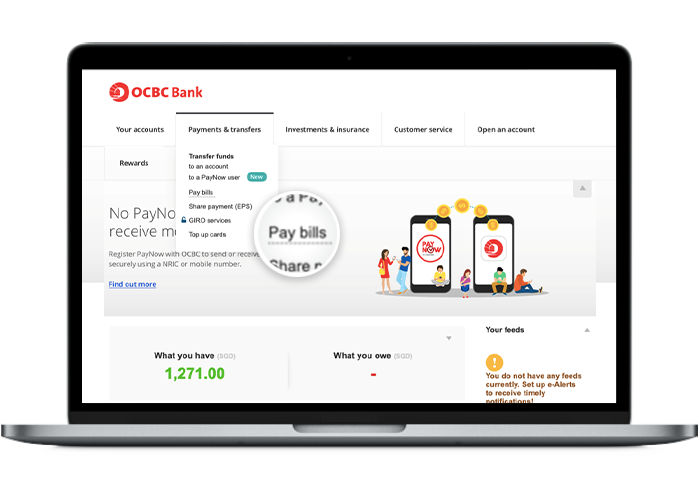
Open Pay bills
Click "Payments and transfers" and select "Pay bills".
- 3
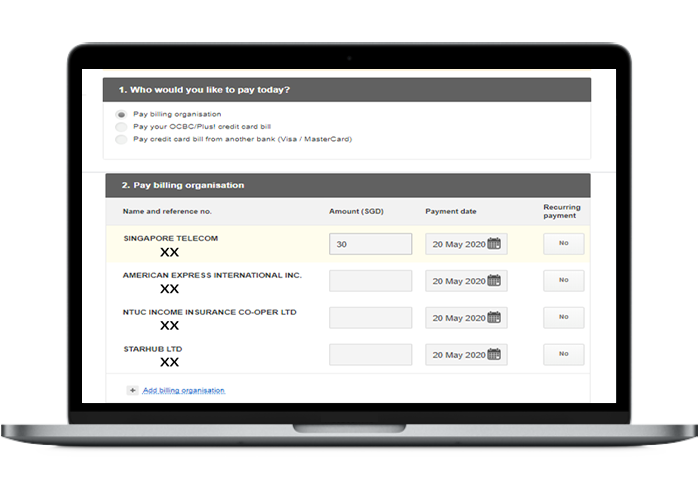
Choose Pay billing organisation
Under "Who would you like to pay today?", select "Pay billing organisation" and choose your OCBC credit card.
- 4
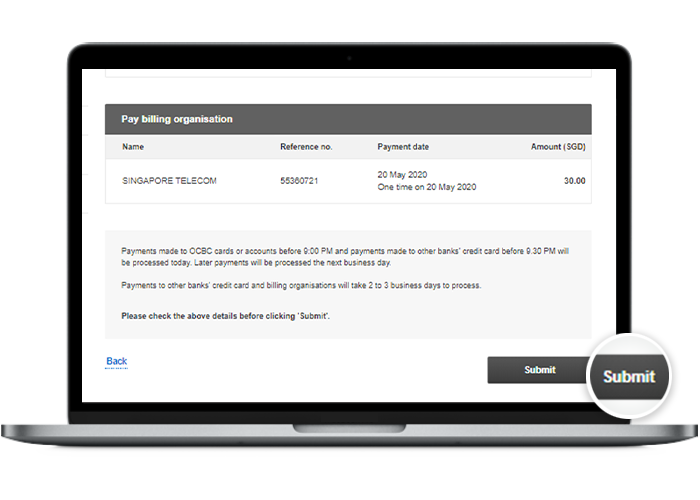
Review the details
Review the payment details before confirming.
- 5
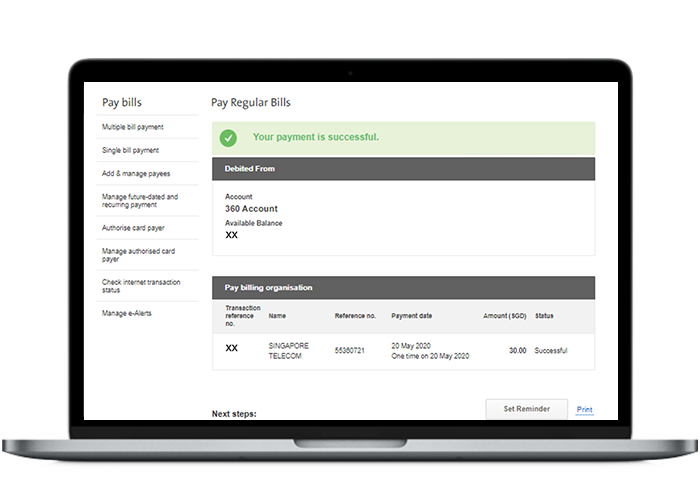
Done
Your payment has been made.
Reference for assisting clients. Bank screens, steps and limits change often — always confirm the current process with OCBC Bank before advising the client.