How to Change Your DBS Debit Card Spending Limit
Set the daily spending limit on your DBS debit card — covering online, NETS and contactless purchases — via the digibank app or digibank Online.
 Singapore
Agent guide. Use these steps to walk the client through the process — the screenshots show exactly what they’ll see on screen.
Your DBS debit card has a daily spending limit that caps how much you can spend — including online, NETS and contactless purchases. You can raise or lower it yourself in the digibank app or on digibank Online.
Before you start
- The DBS digibank app, or access to digibank Online
- Your digibank User ID and PIN (or Touch/Face ID on the app)
- Your DBS debit card
💡 Tip: The debit card limit controls day-to-day spending on the card (online, NETS, contactless) and is separate from the ATM cash-withdrawal limit.
Frequently asked questions
What's the maximum debit card spending limit?
You can set the daily debit spending limit from S$0 up to S$10,000 in fixed steps.
Does this cover online purchases?
Yes — the debit card limit caps your daily debit spending, including online and NETS transactions.
- 1
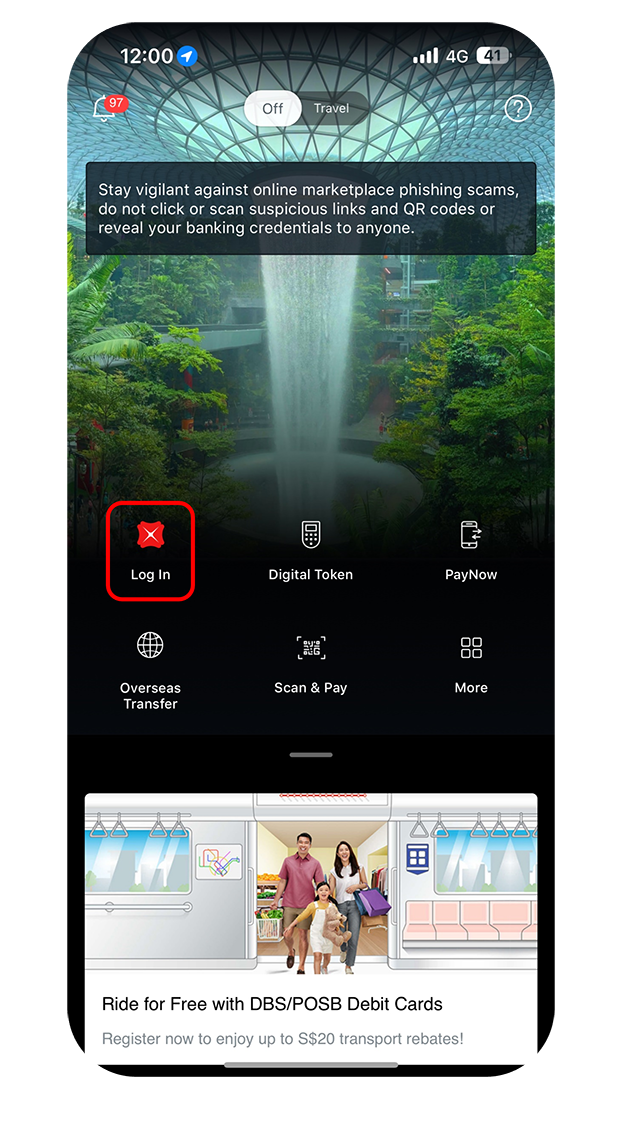
Log in to the app
Log in to digibank mobile with Touch/Face ID or your digibank User ID and PIN.
- 2
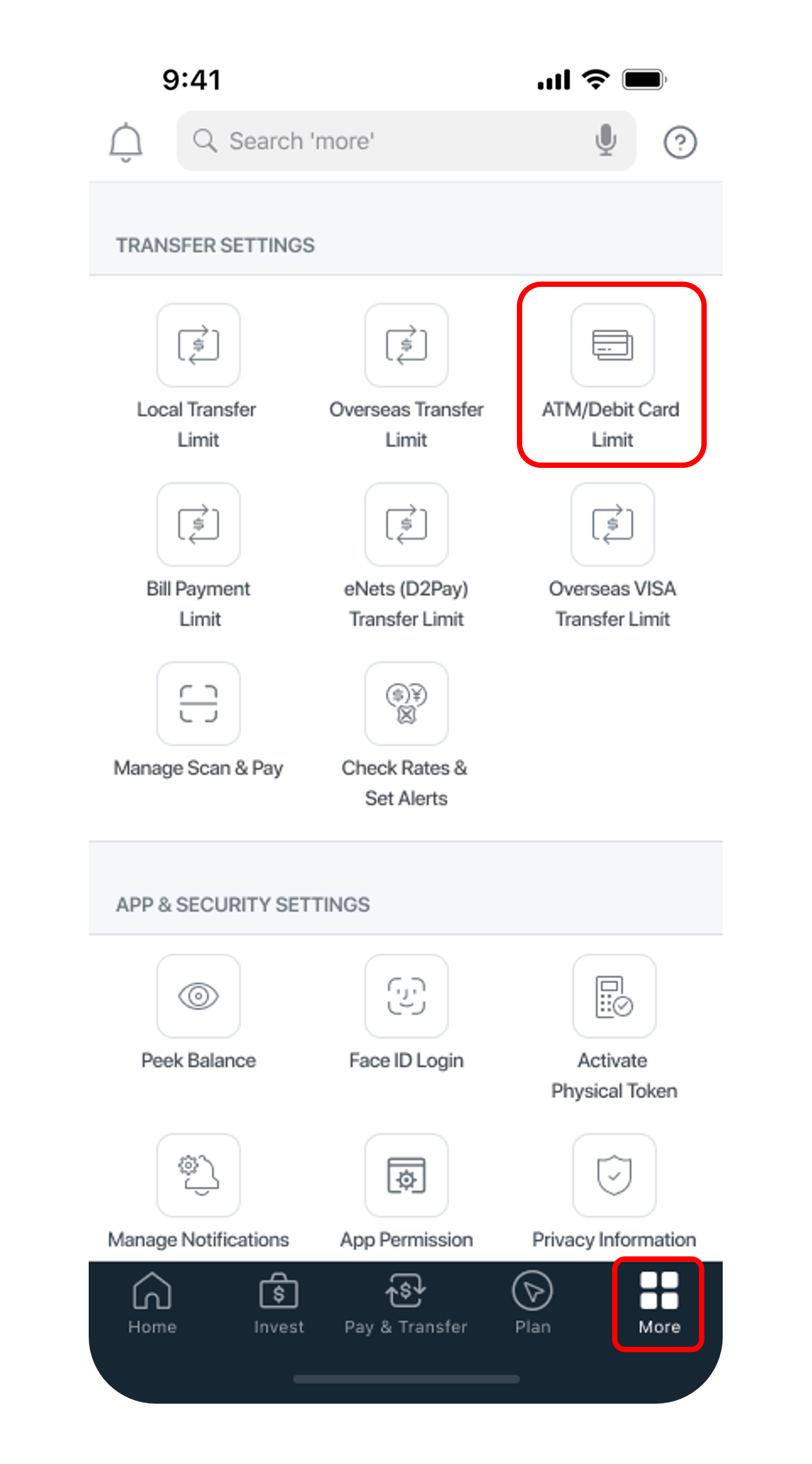
Open ATM/Debit Card Limit
Tap "More", then "ATM/Debit Card Limit" under Transfer Settings.
- 3
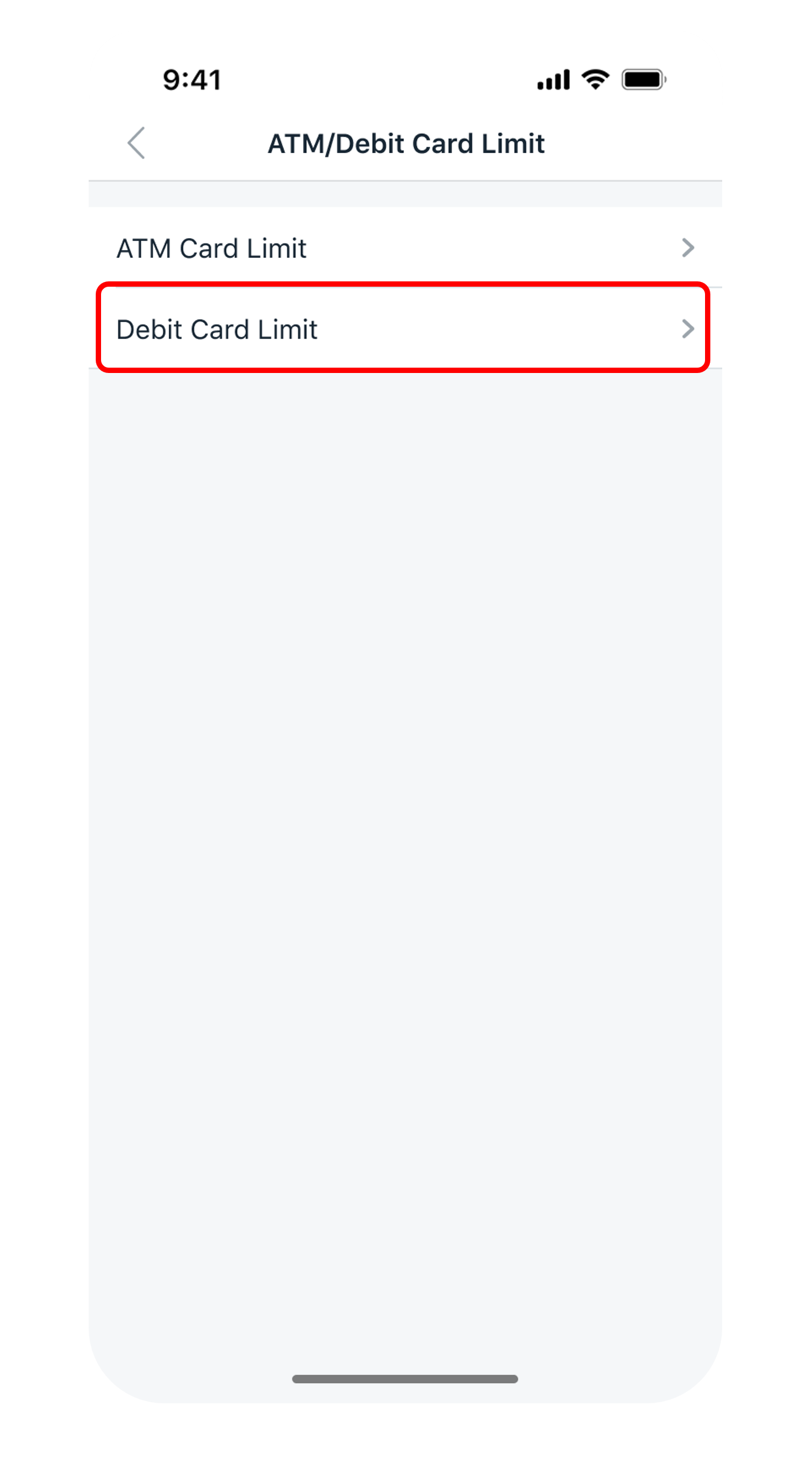
Choose Debit Card Limit
Select "Debit Card Limit" — this controls your daily debit spending.
- 4
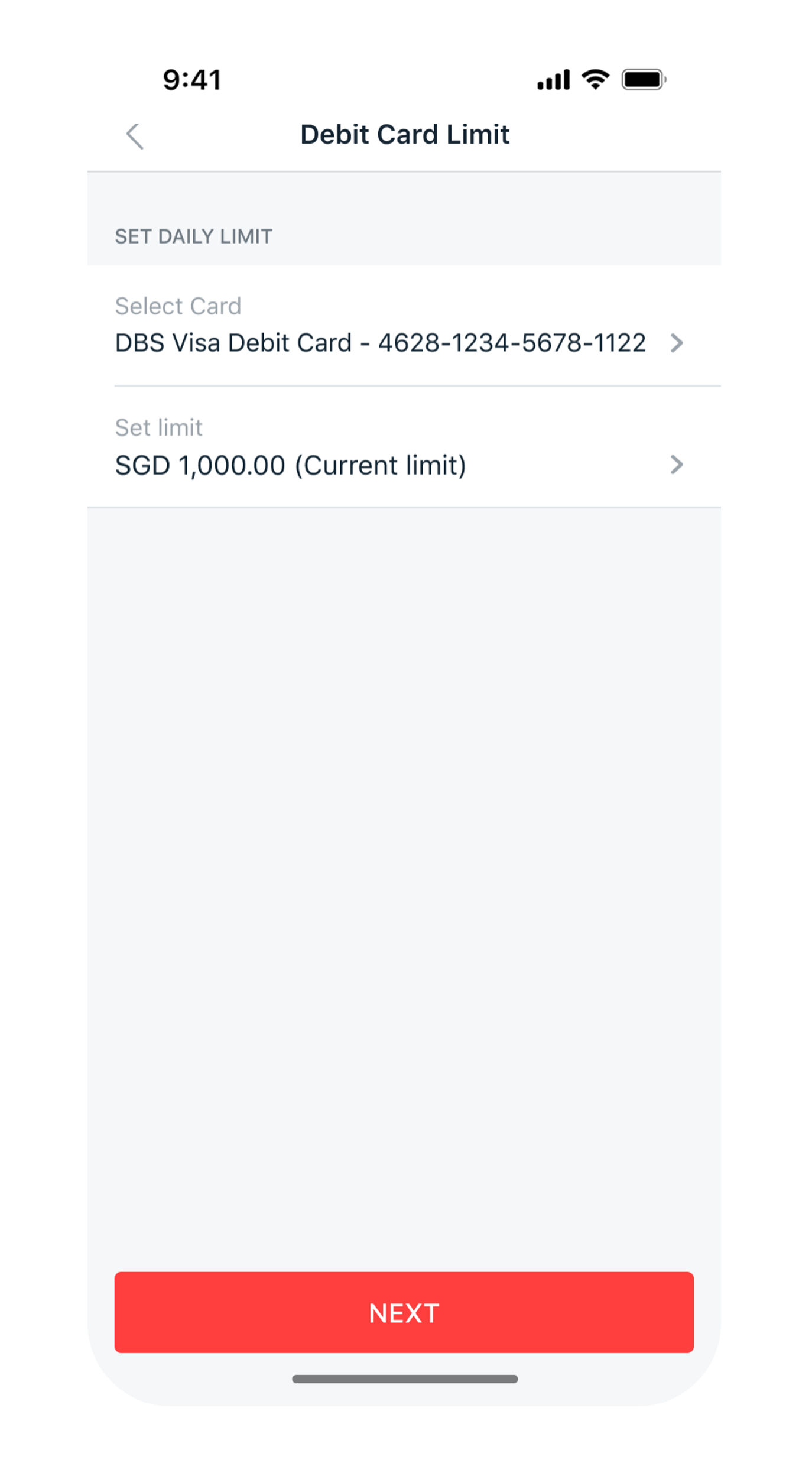
Set the new limit
Select your card and pick the new daily spending limit.
- 5
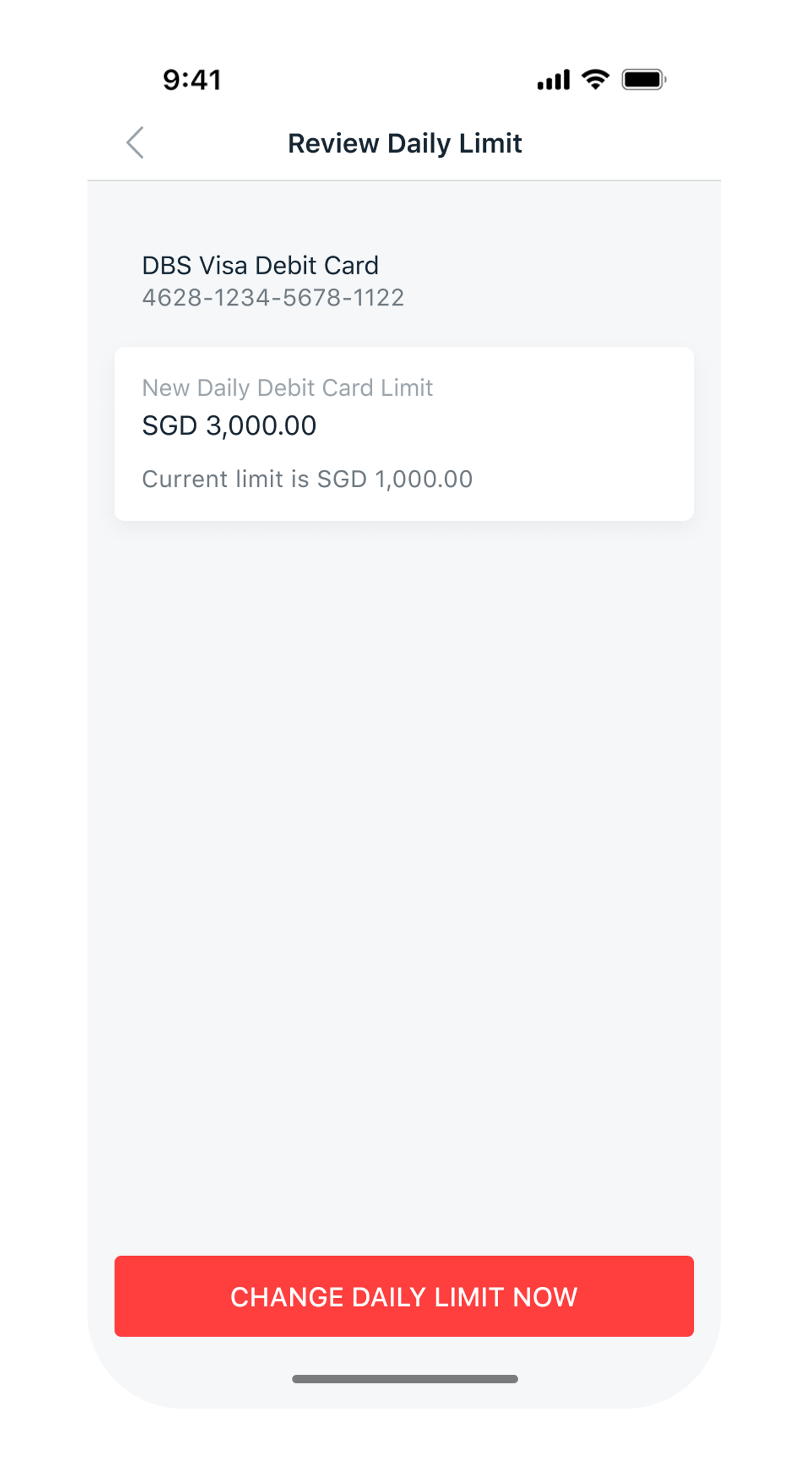
Review the change
Check the details of your amendment.
- 6
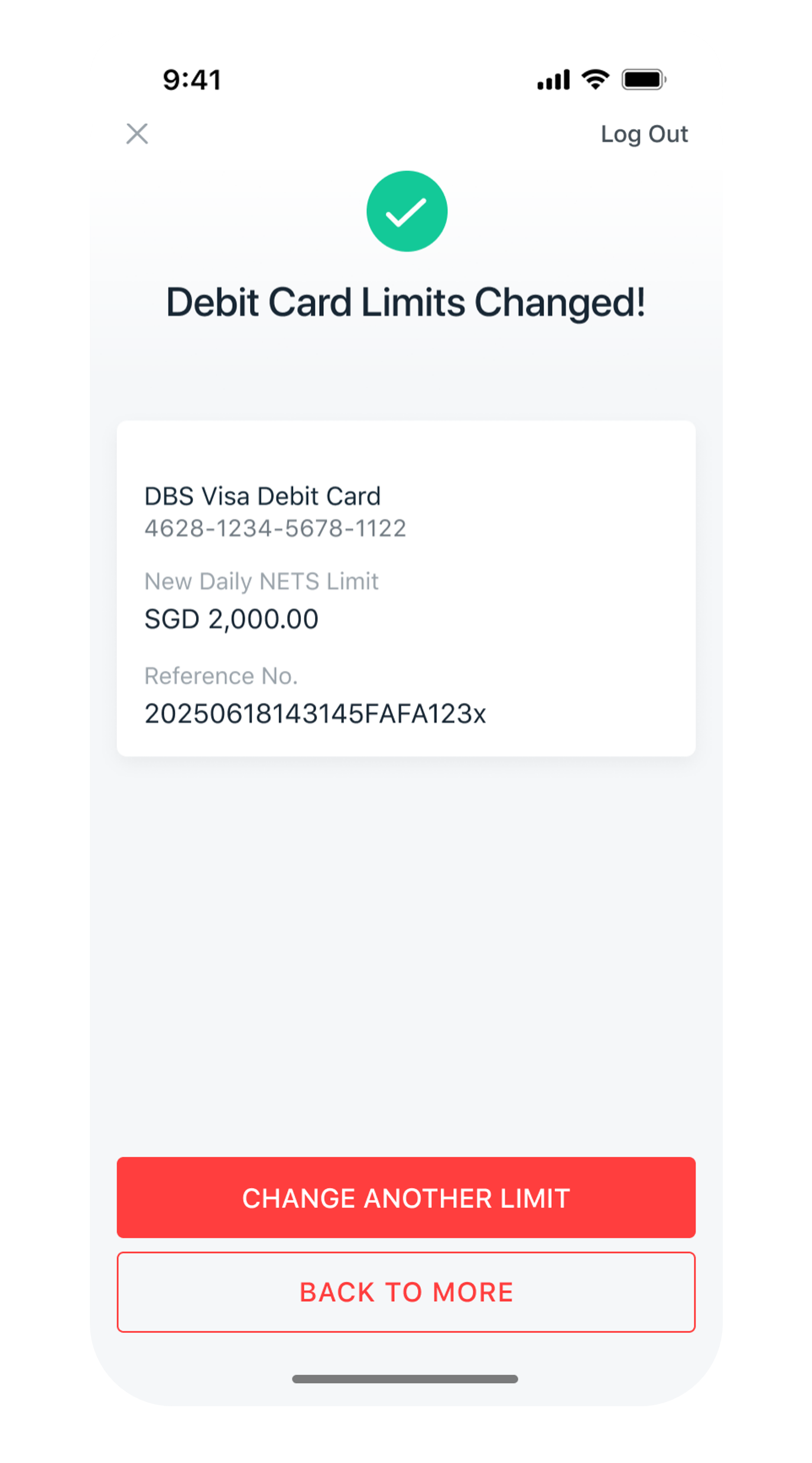
Confirm
Tap "Change Daily Limit Now" — your new debit spending limit is active.
- 1
Log in to digibank Online
Go to dbs.com.sg and log in with your User ID and PIN.

- 2
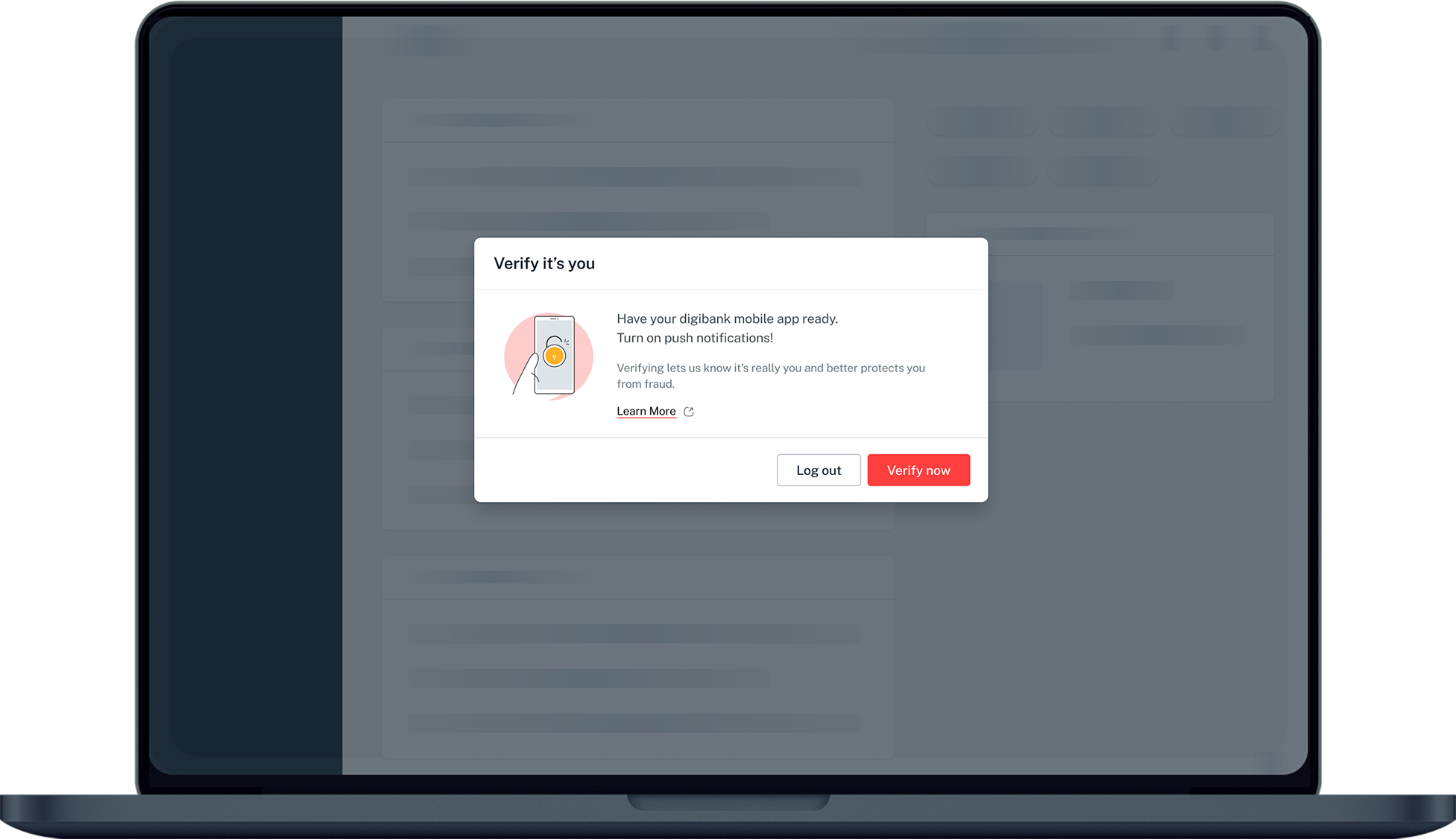
Complete 2FA
Approve the authentication request to verify it's you.
- 3
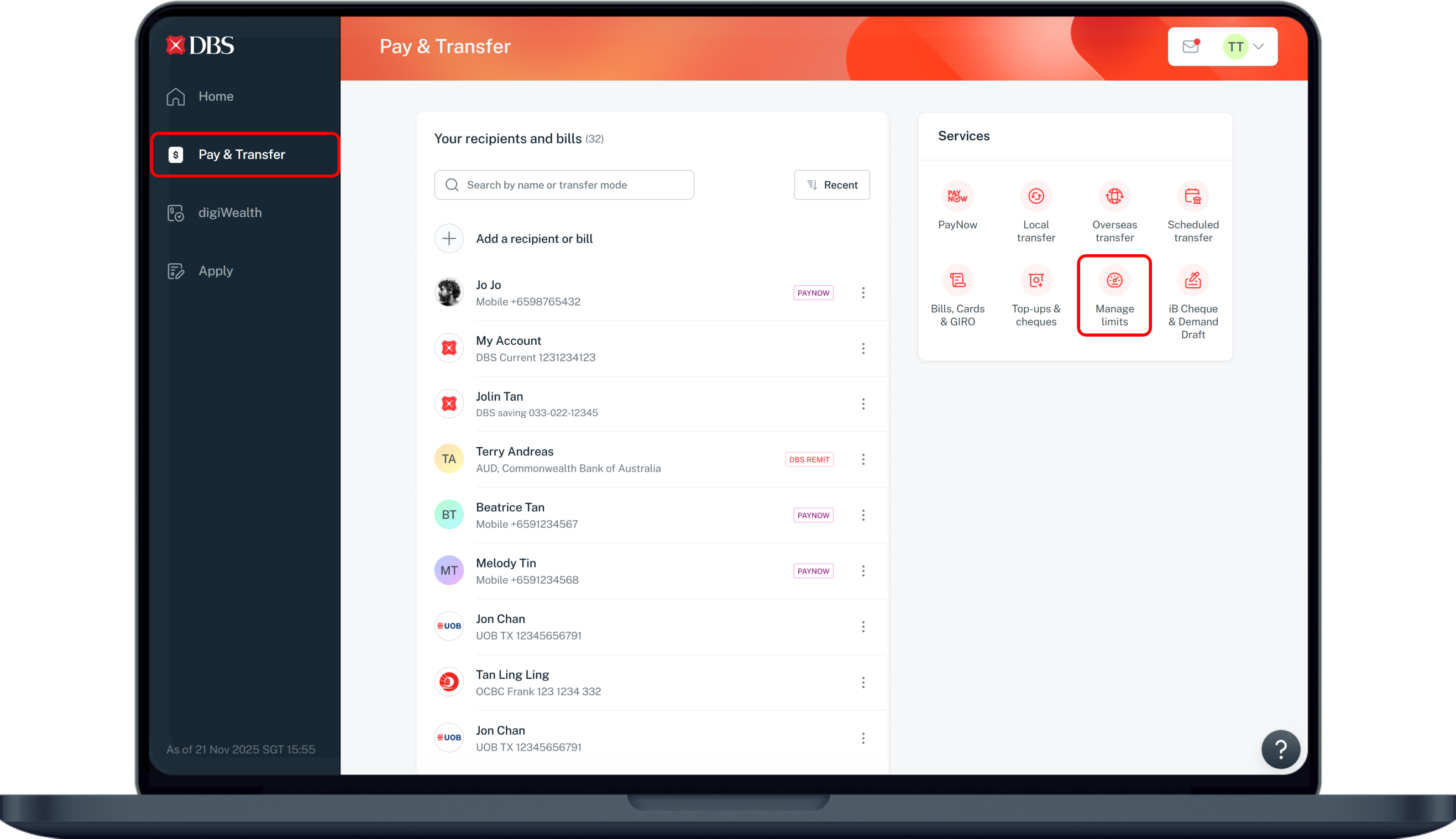
Open Manage limits
Select "Pay & Transfer", then choose "Manage limits".
- 4
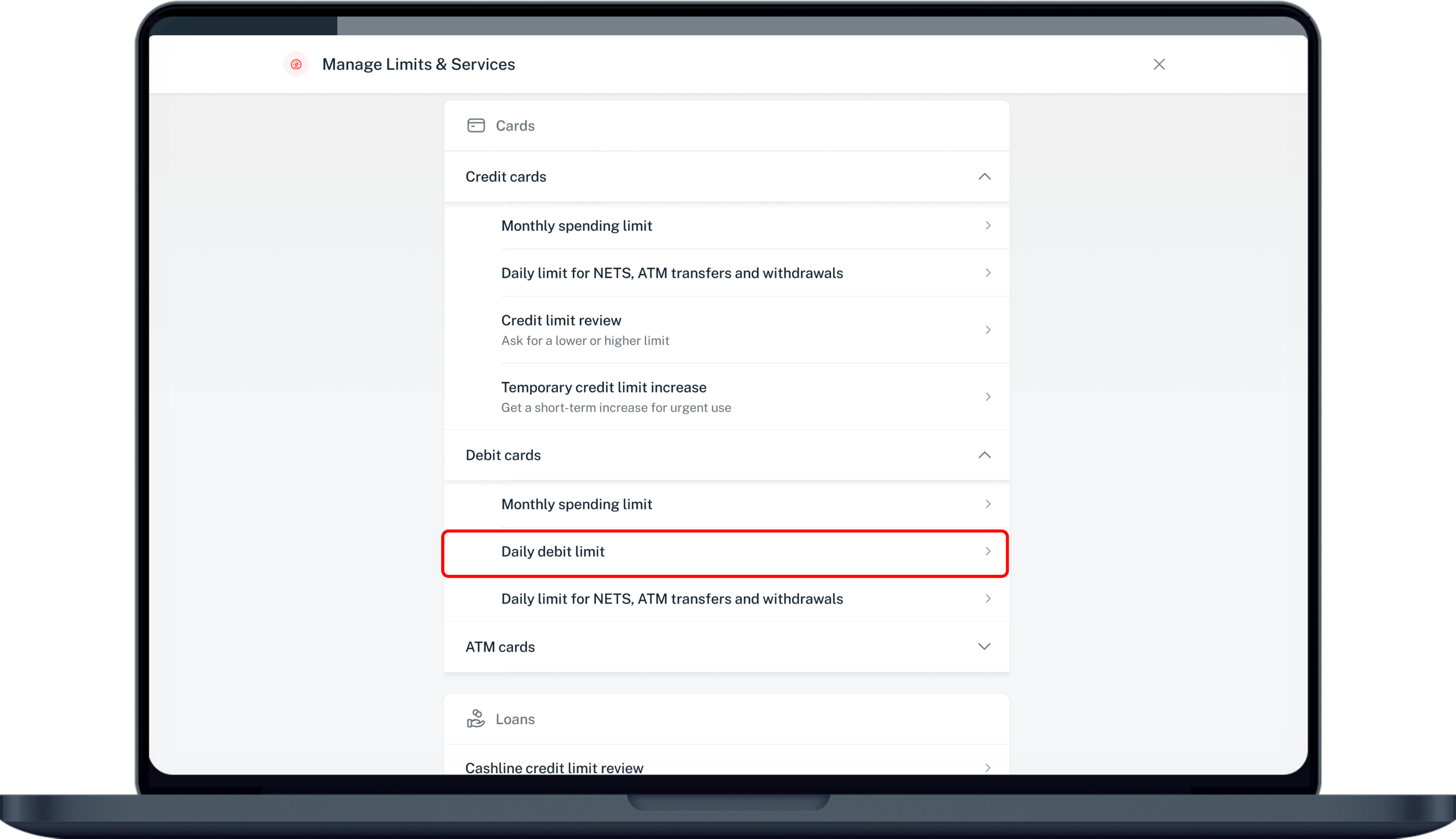
Choose Debit Card
Pick "Debit Card", then select the specific card you want to change.
- 5
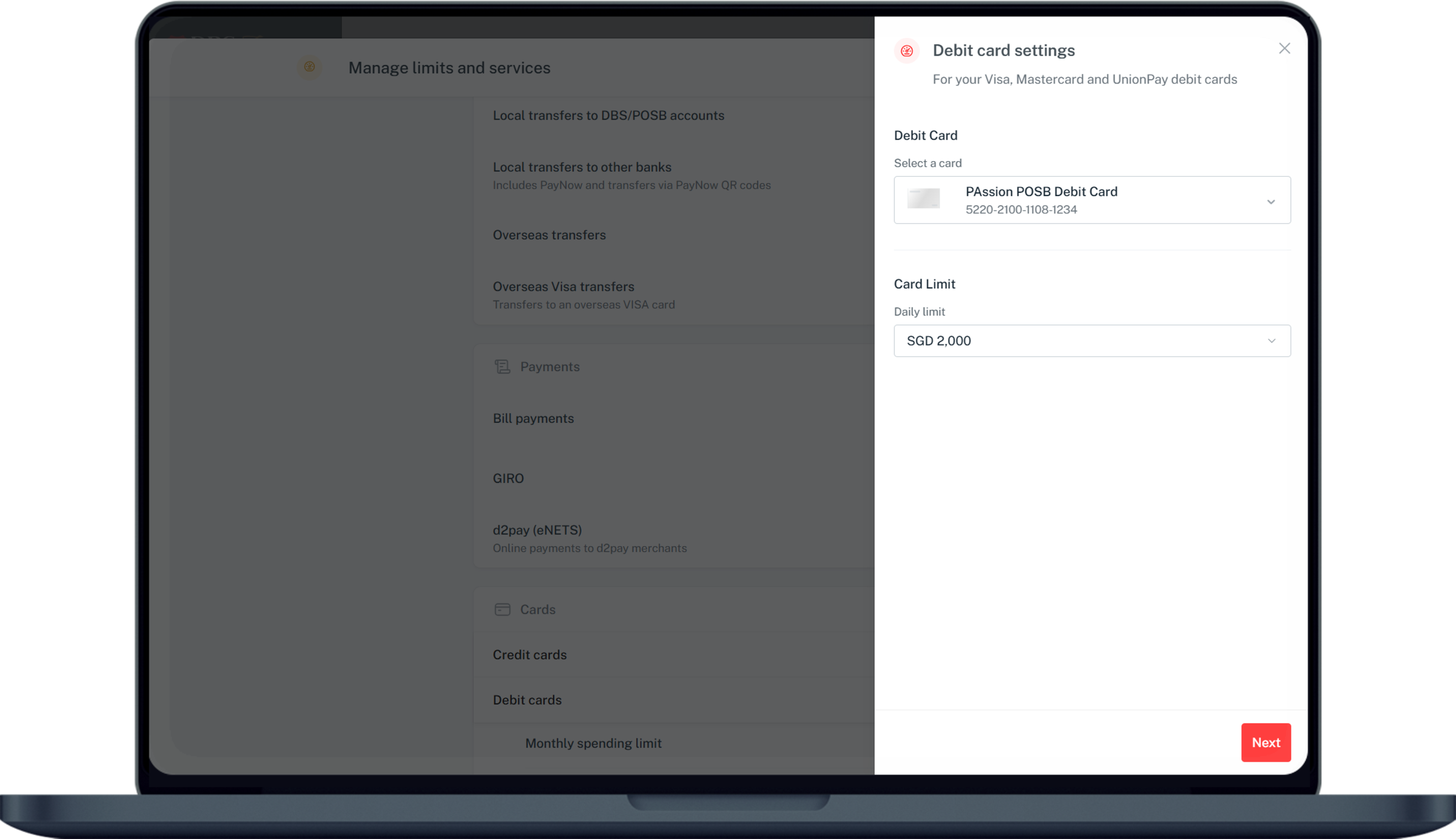
Set your new spending limit
Enter your desired daily debit spending limit.
- 6
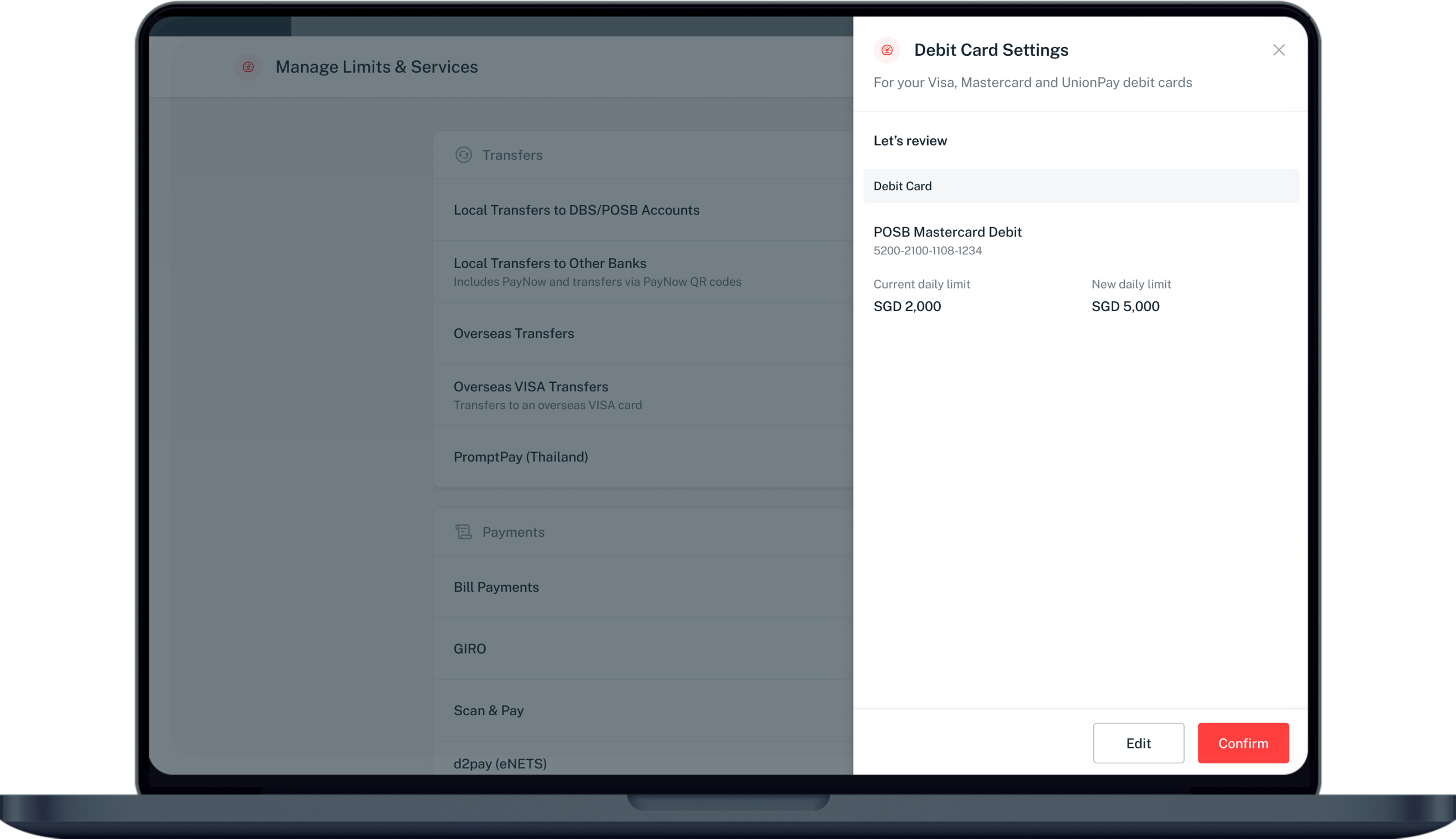
Verify with 2FA
Review the change, click Confirm and complete the authentication.
- 7
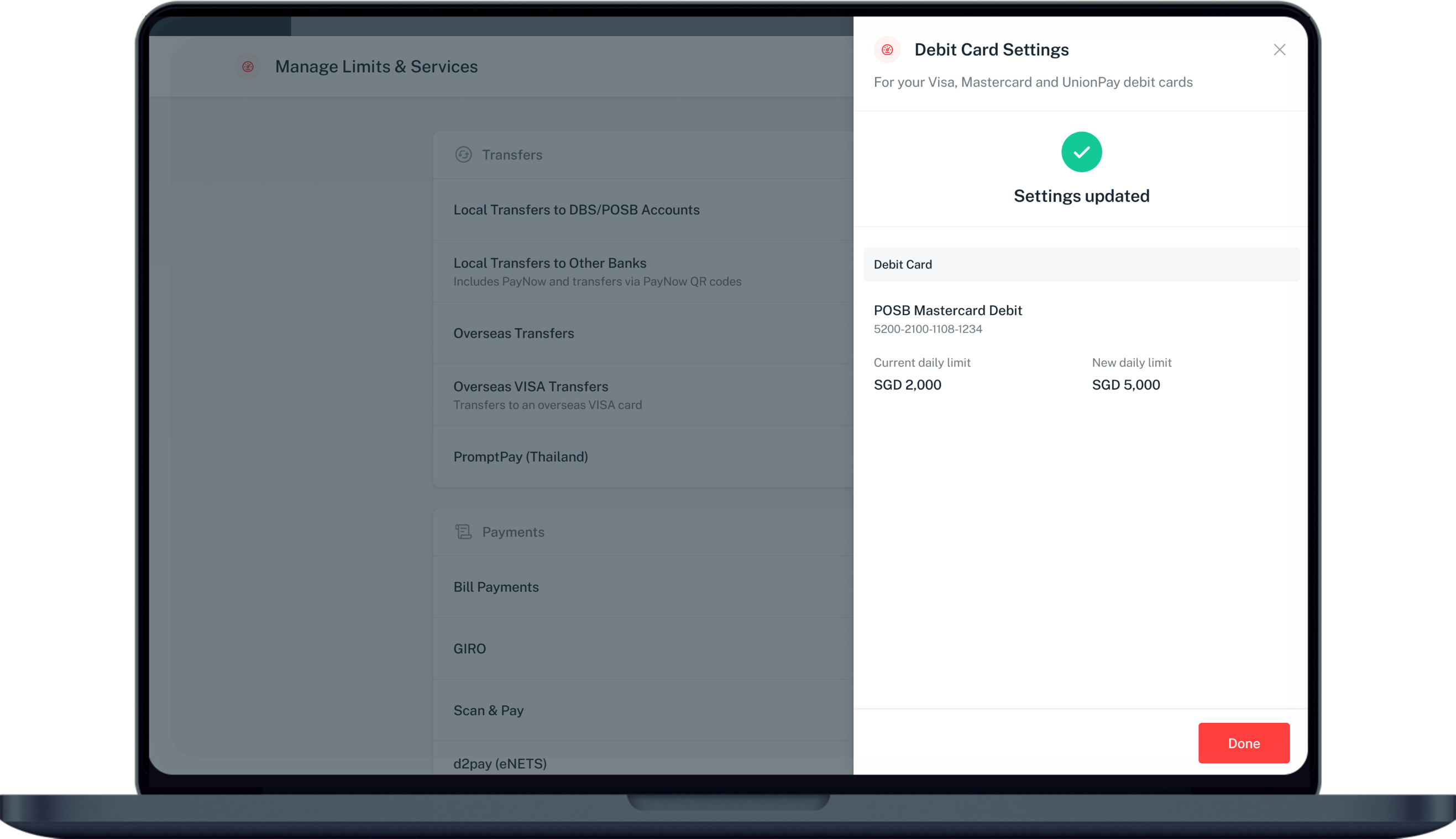
Confirmation
Your new debit spending limit is active immediately.
Reference for assisting clients. Bank screens, steps and limits change often — always confirm the current process with DBS Bank before advising the client.